Your entire home, at a glance.
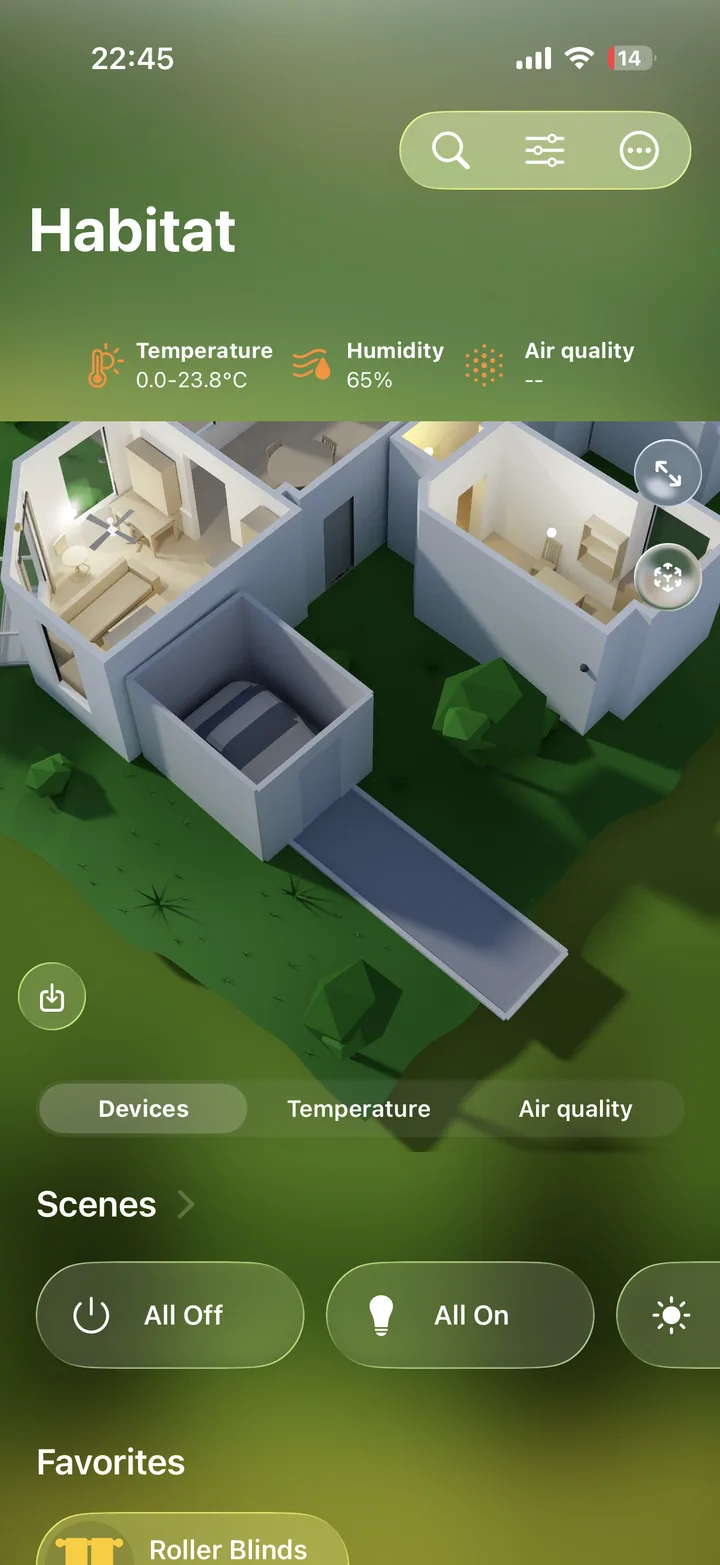
Habitat turns a quick scan into a living, ray-traced model of your home. Every room, every device, every temperature — visible in one beautiful view, and one tap from control.
For iPhone, iPad, Mac, and Apple TV · Works with your existing HomeKit accessories
Take a look inside.
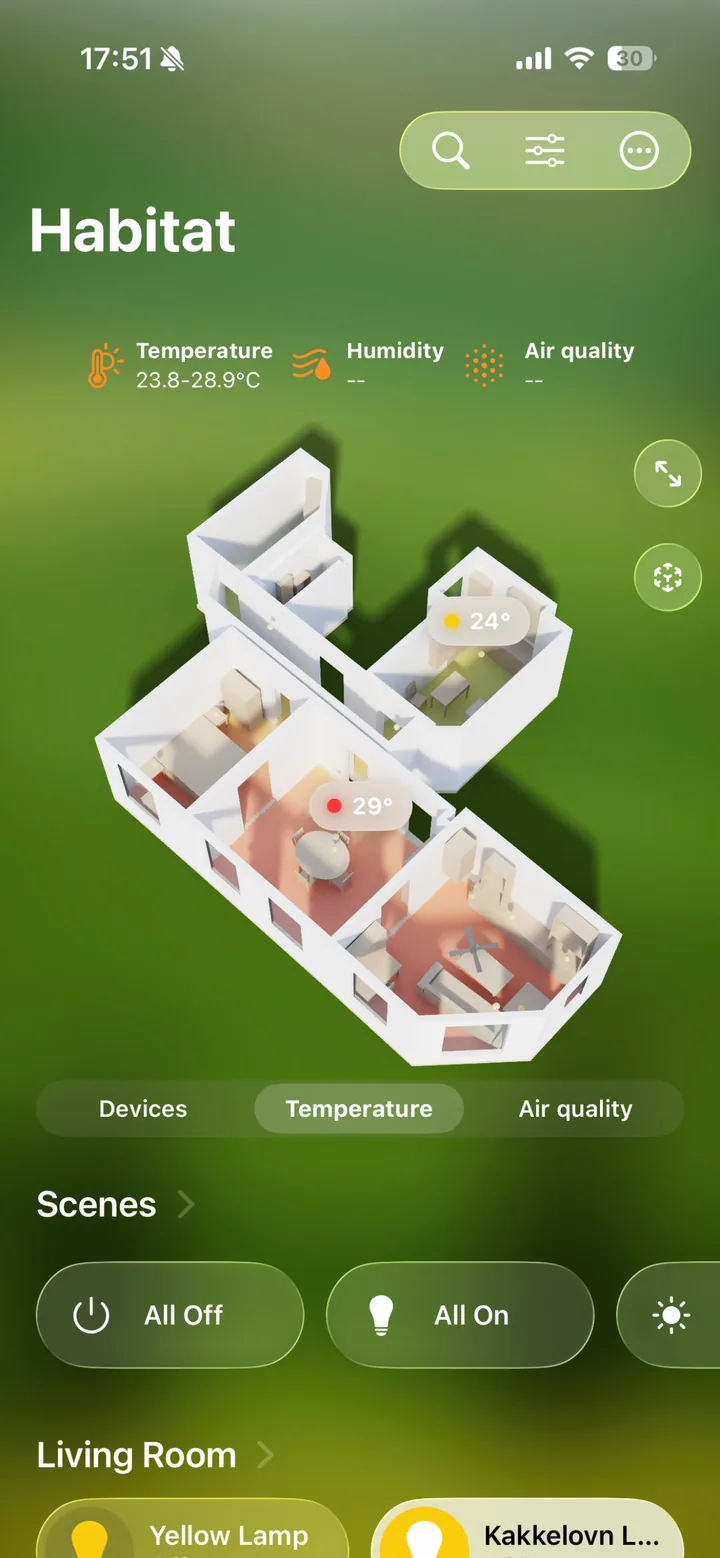
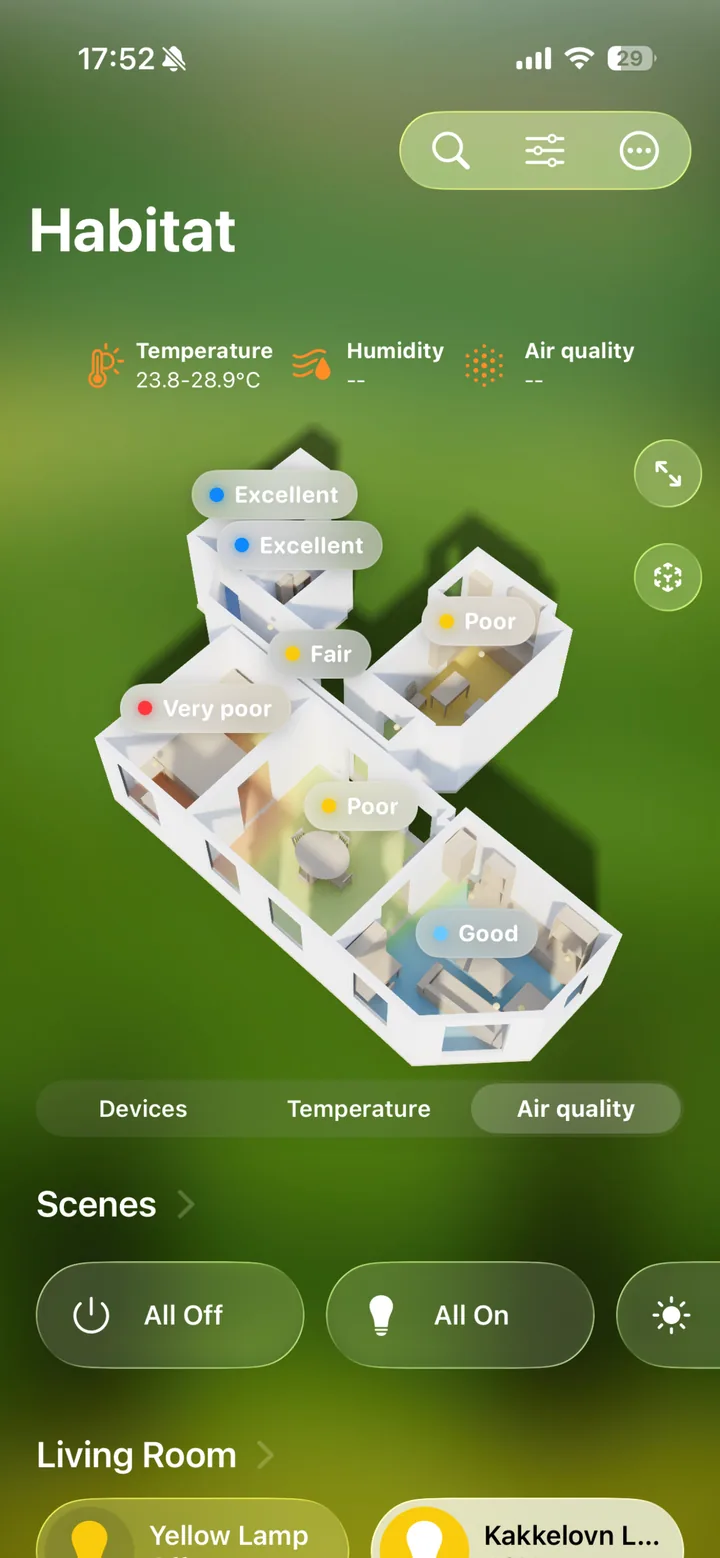
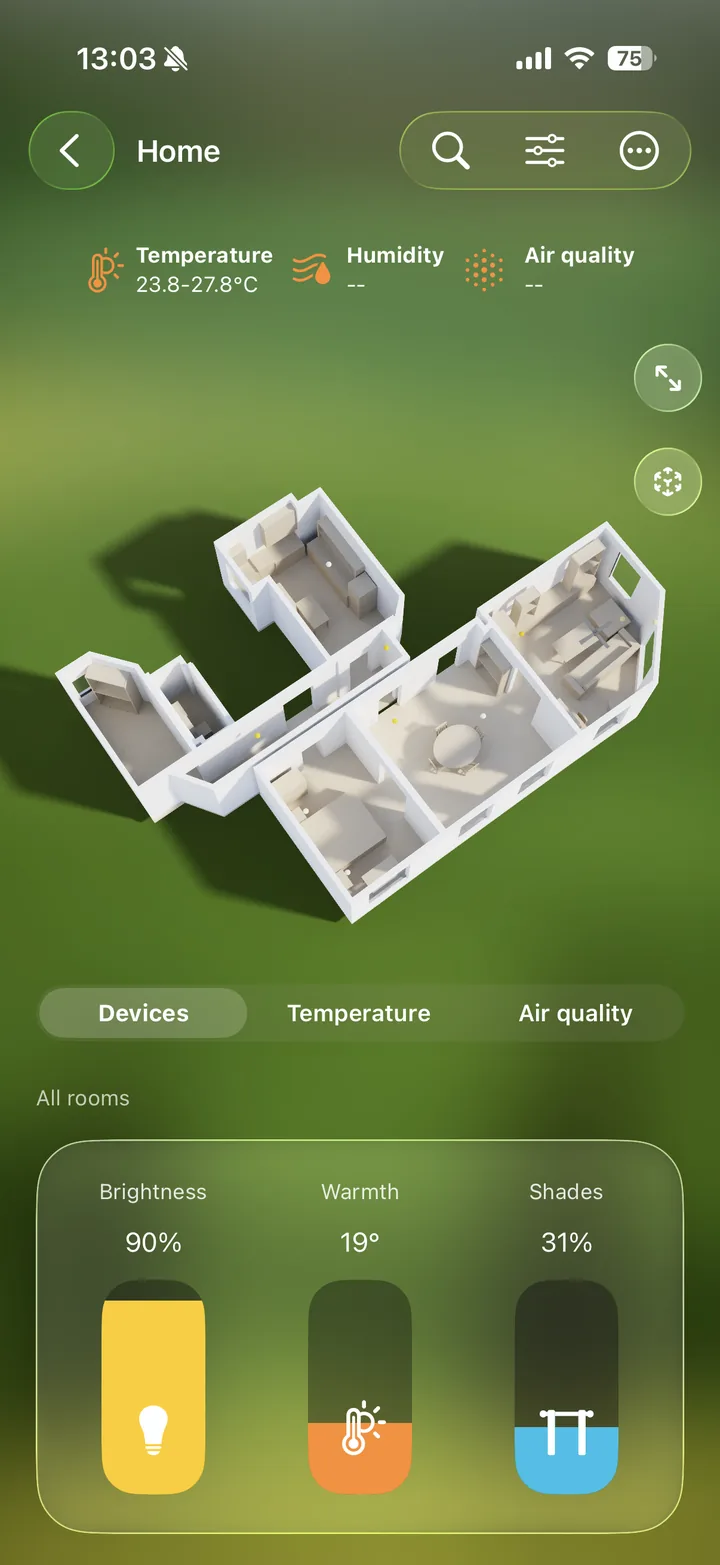
Real screens from Habitat on iPhone — the dashboard, the rooms, the controls. Swipe through.
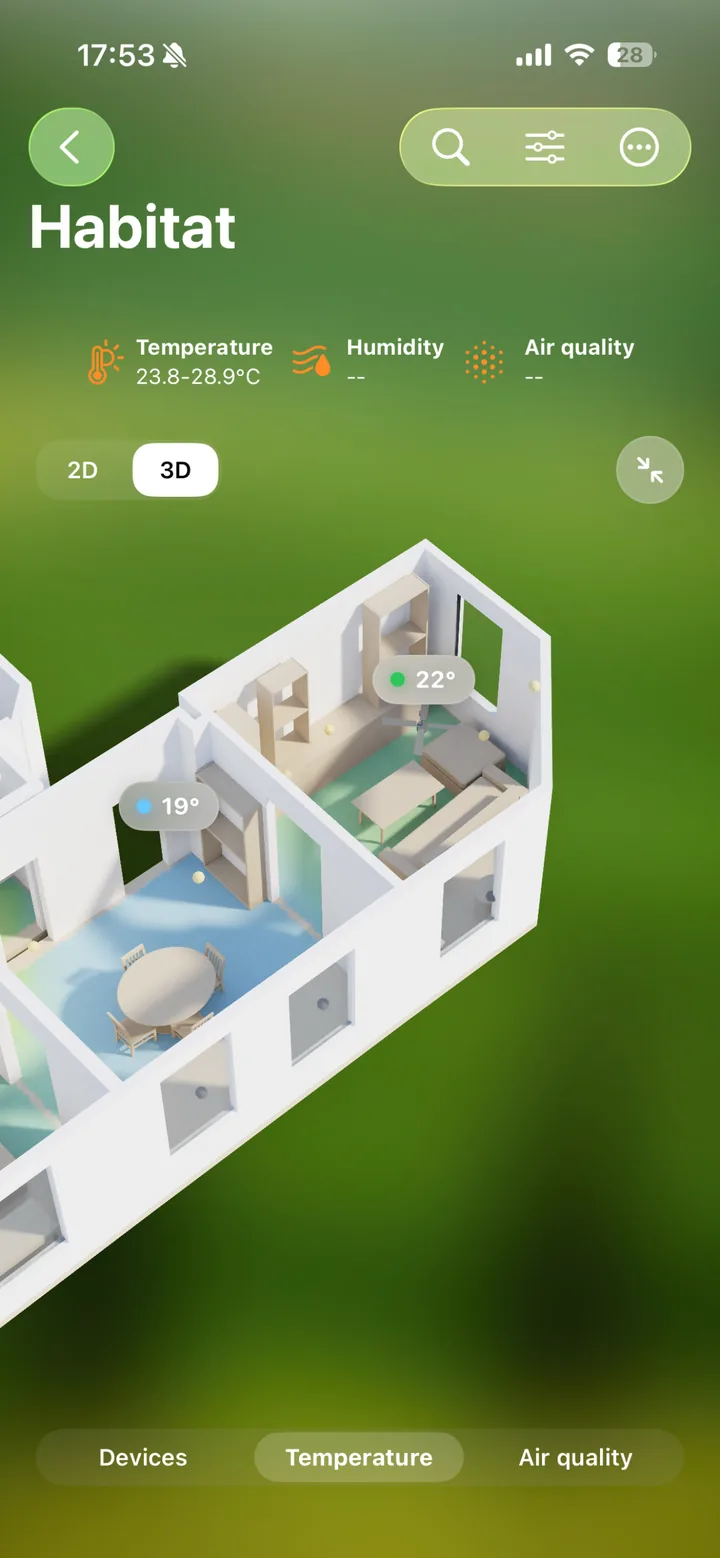
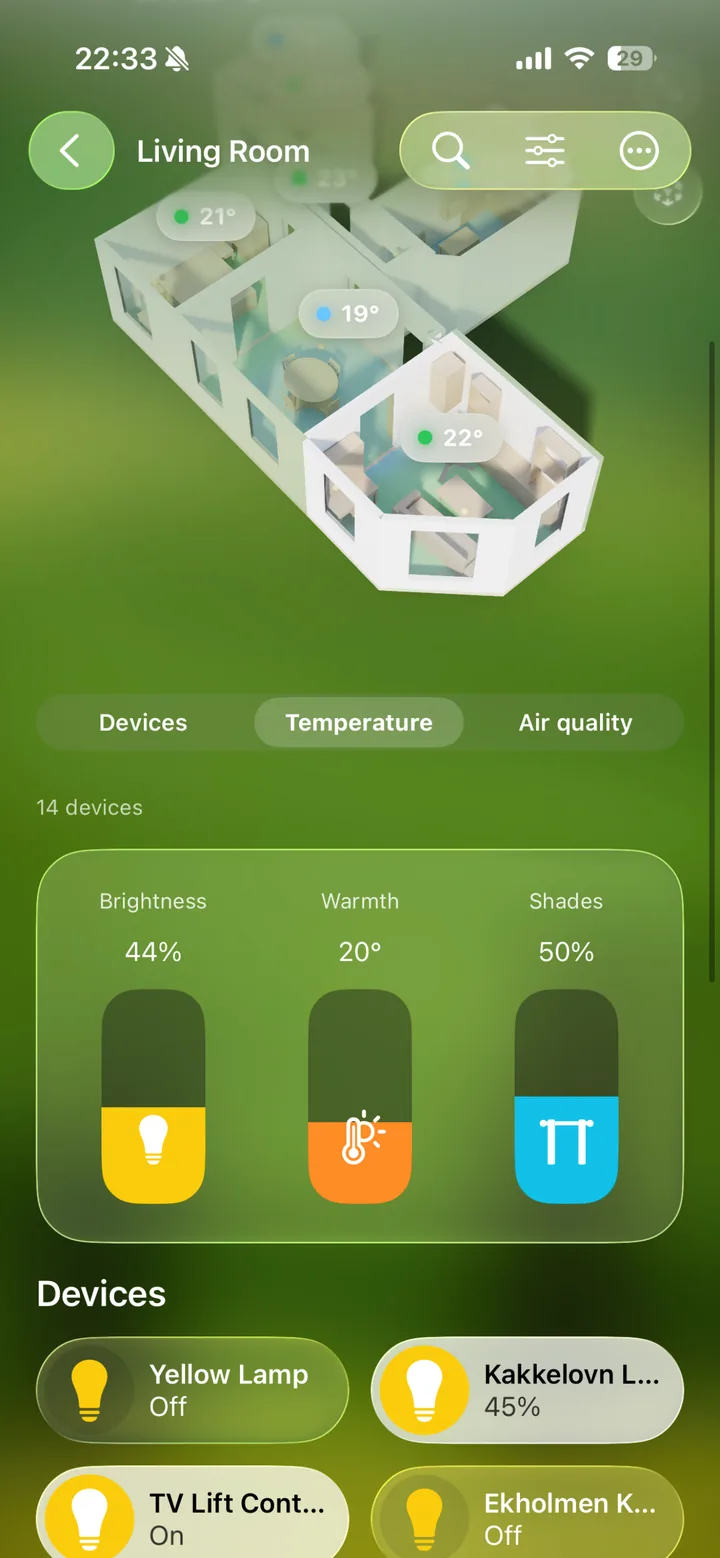
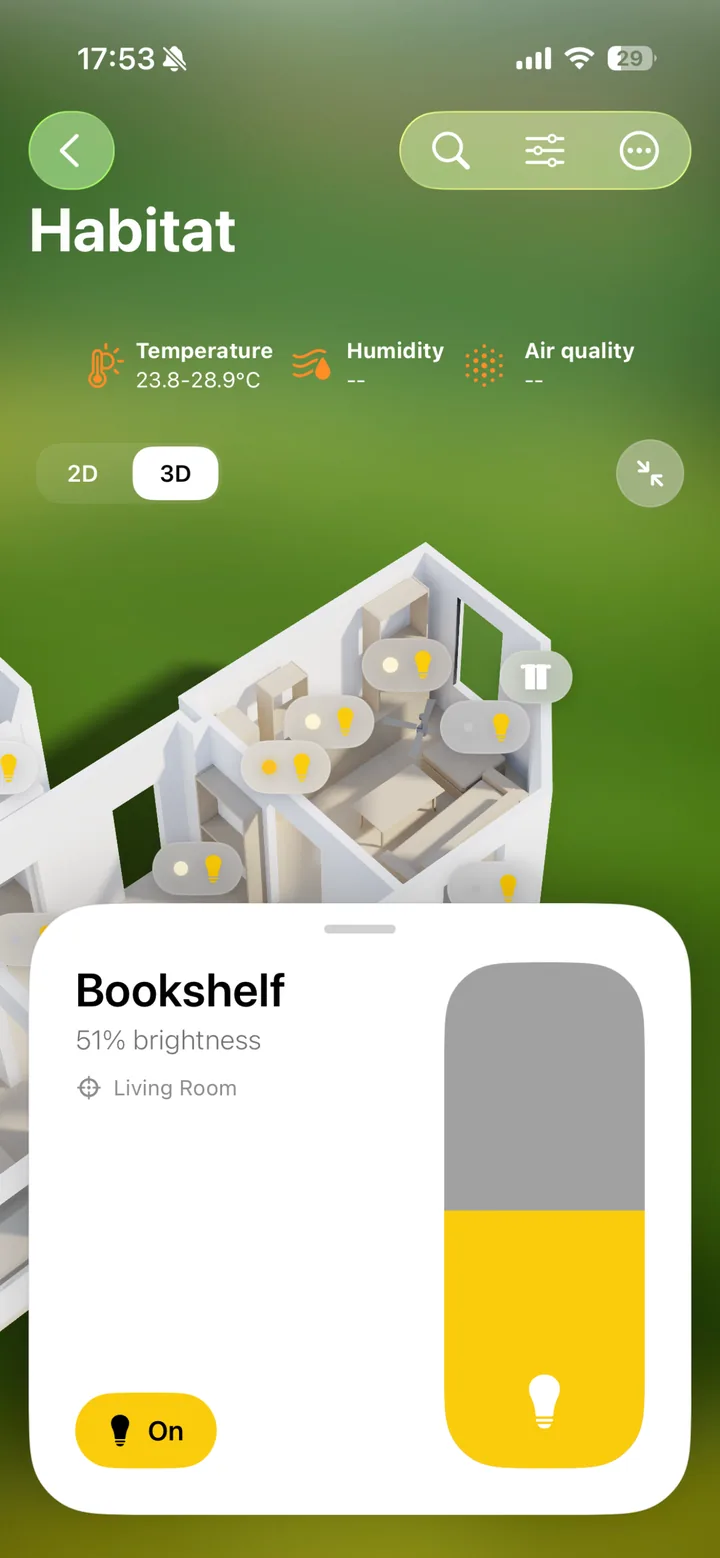
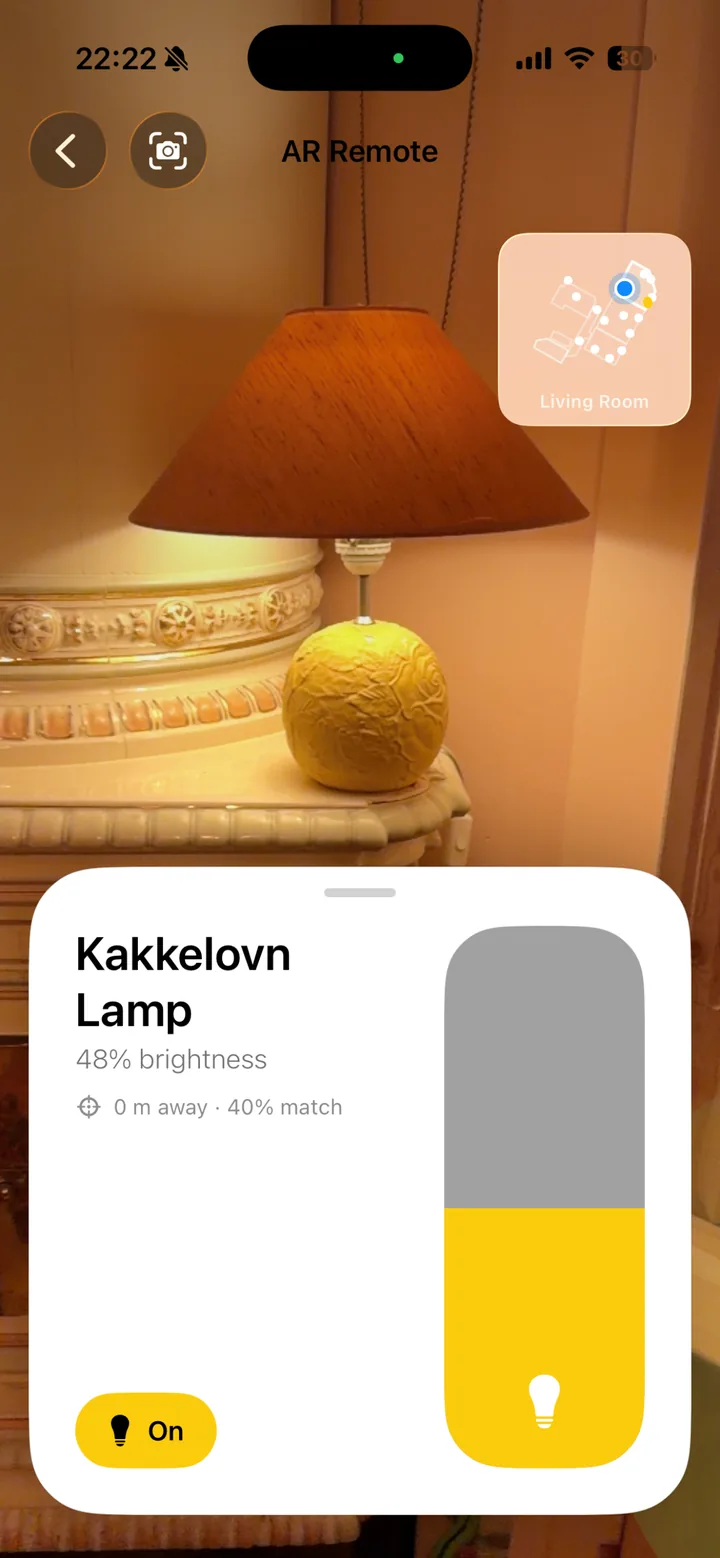
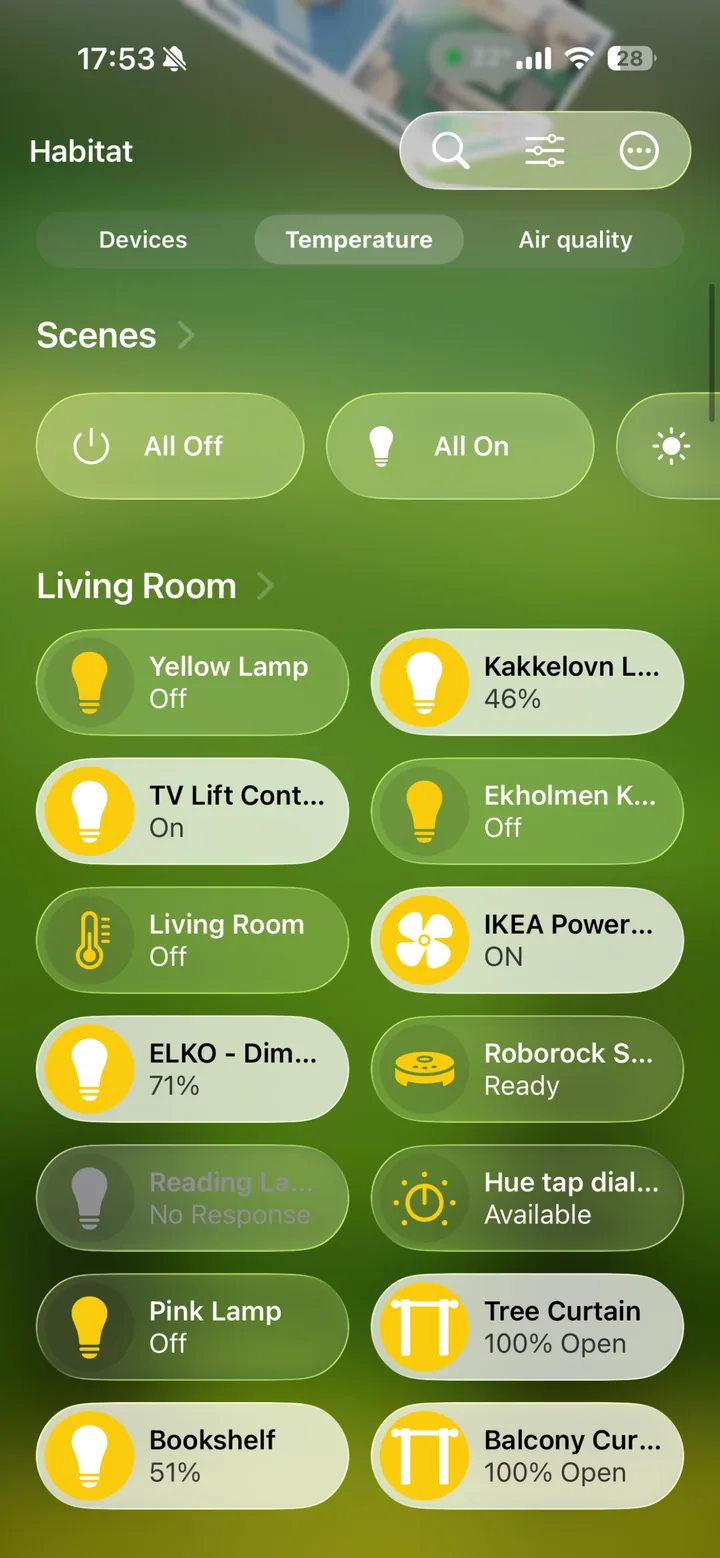
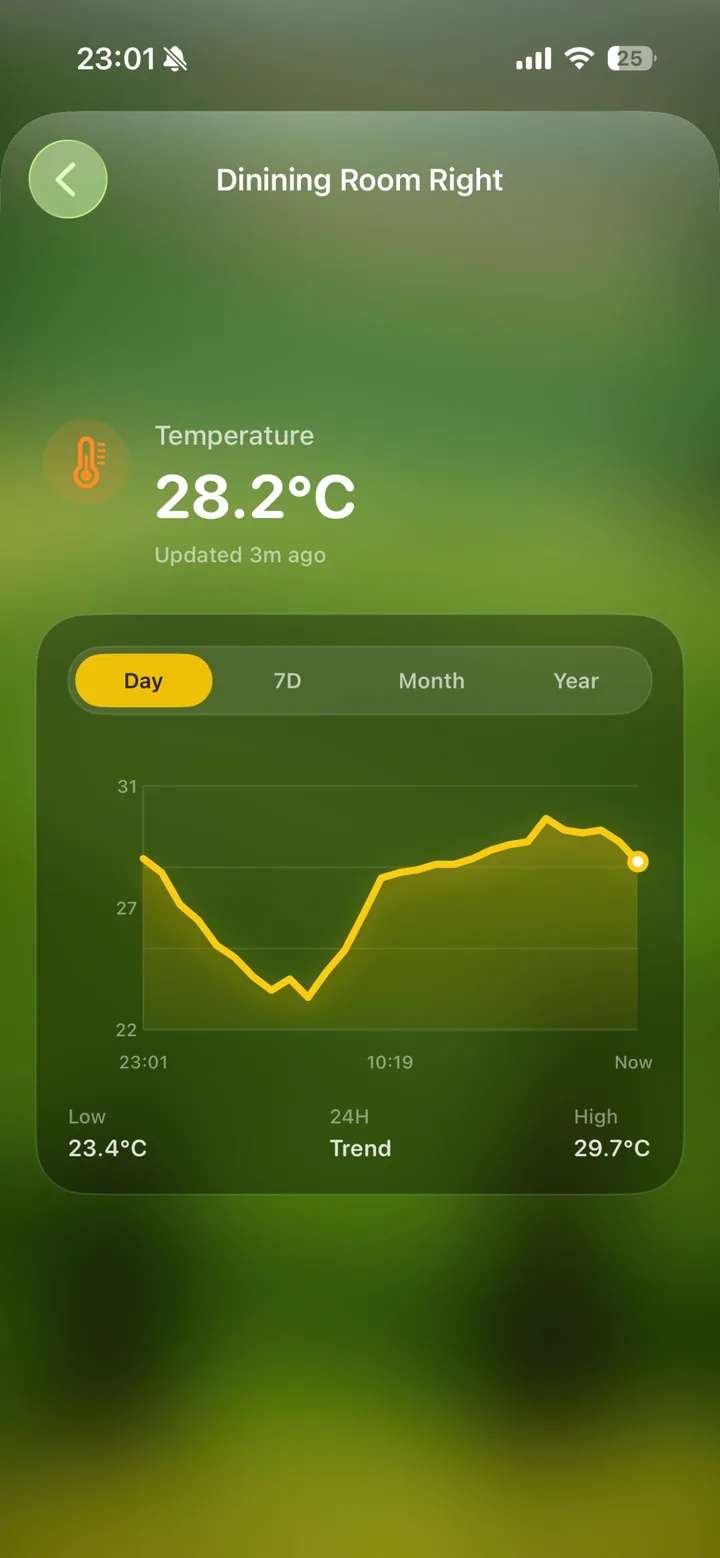
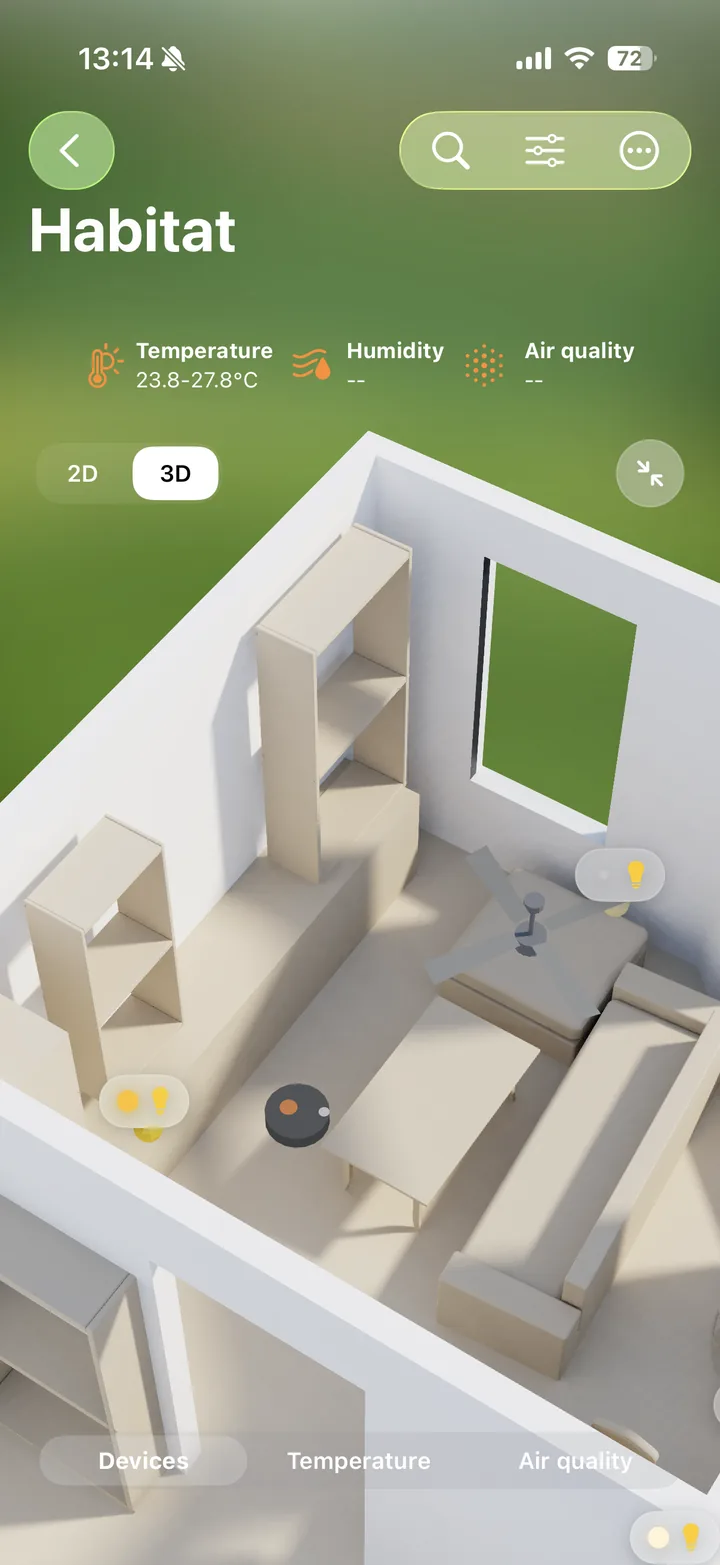
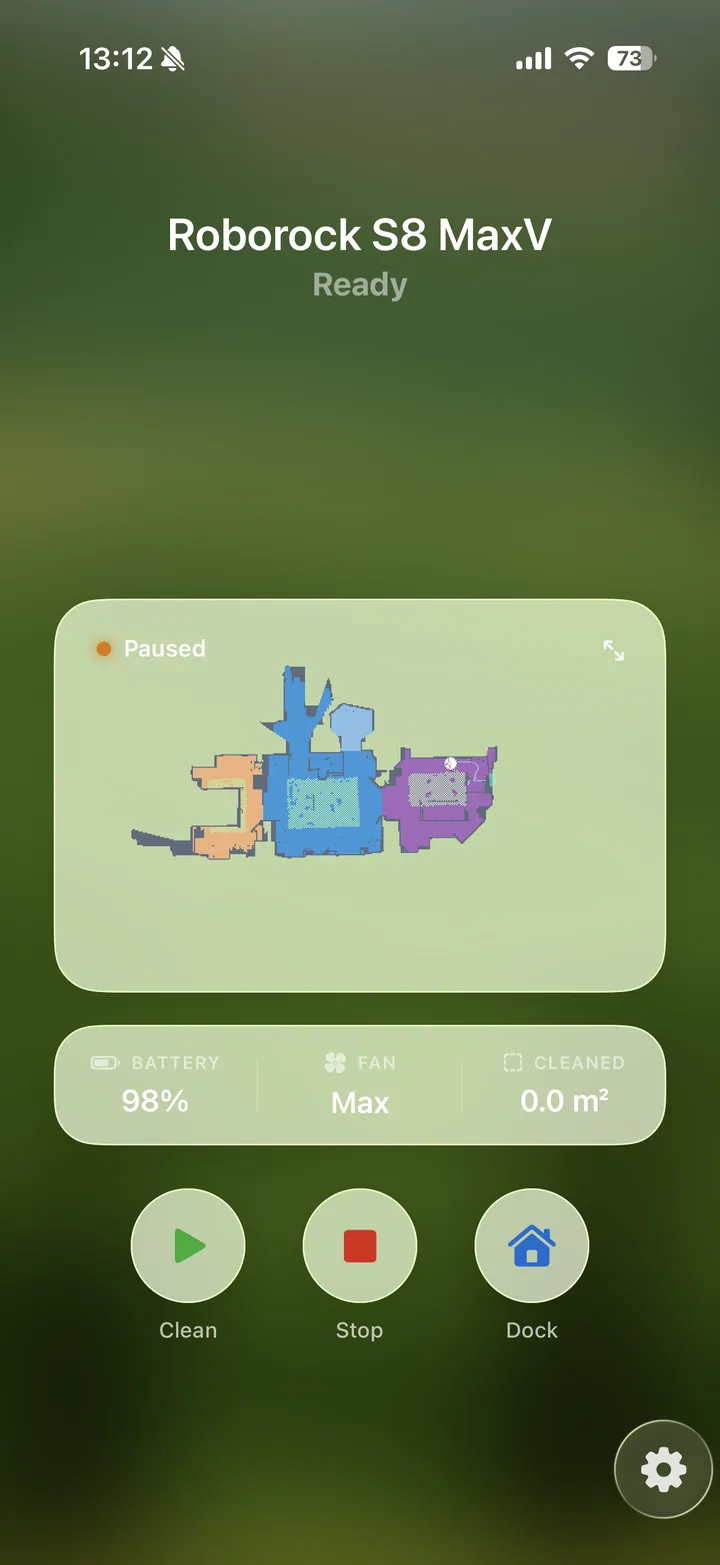
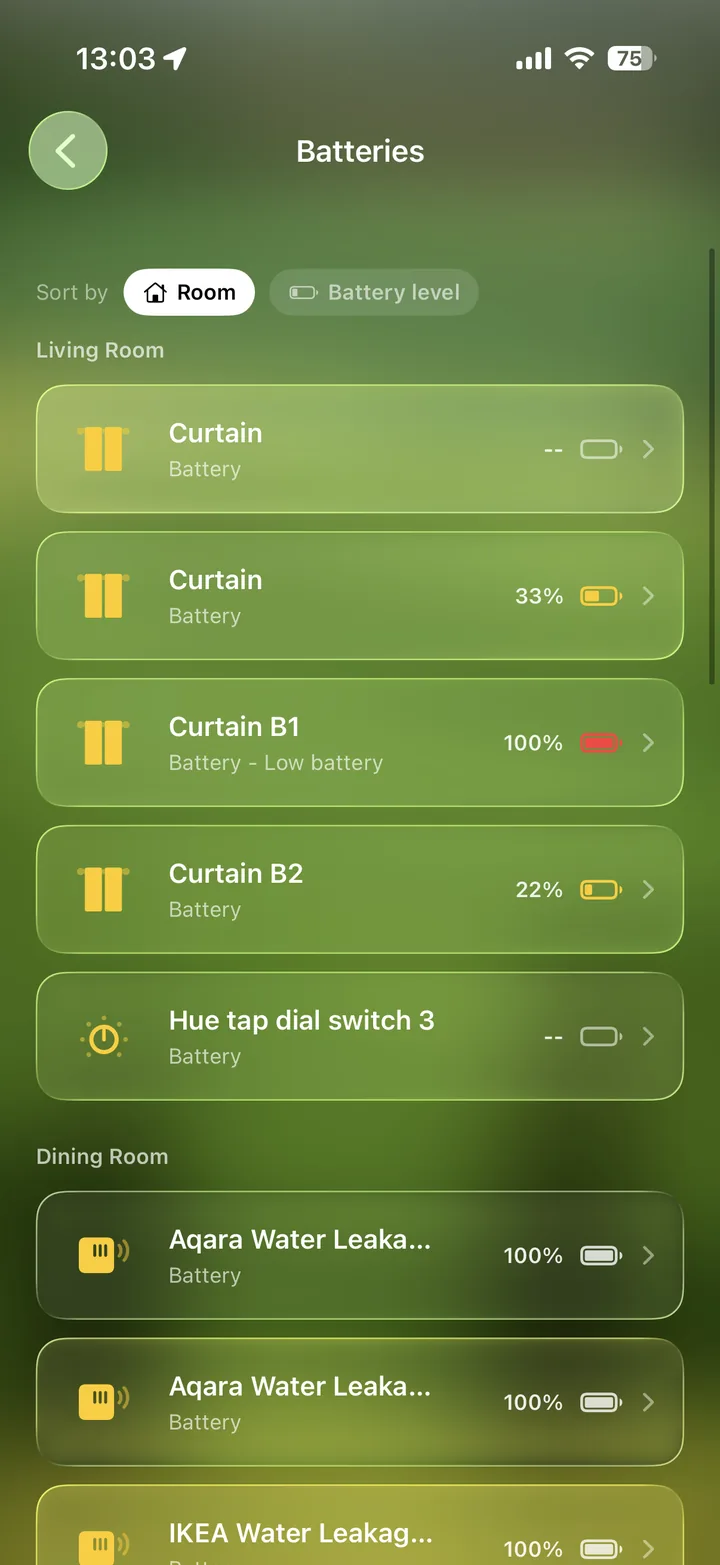
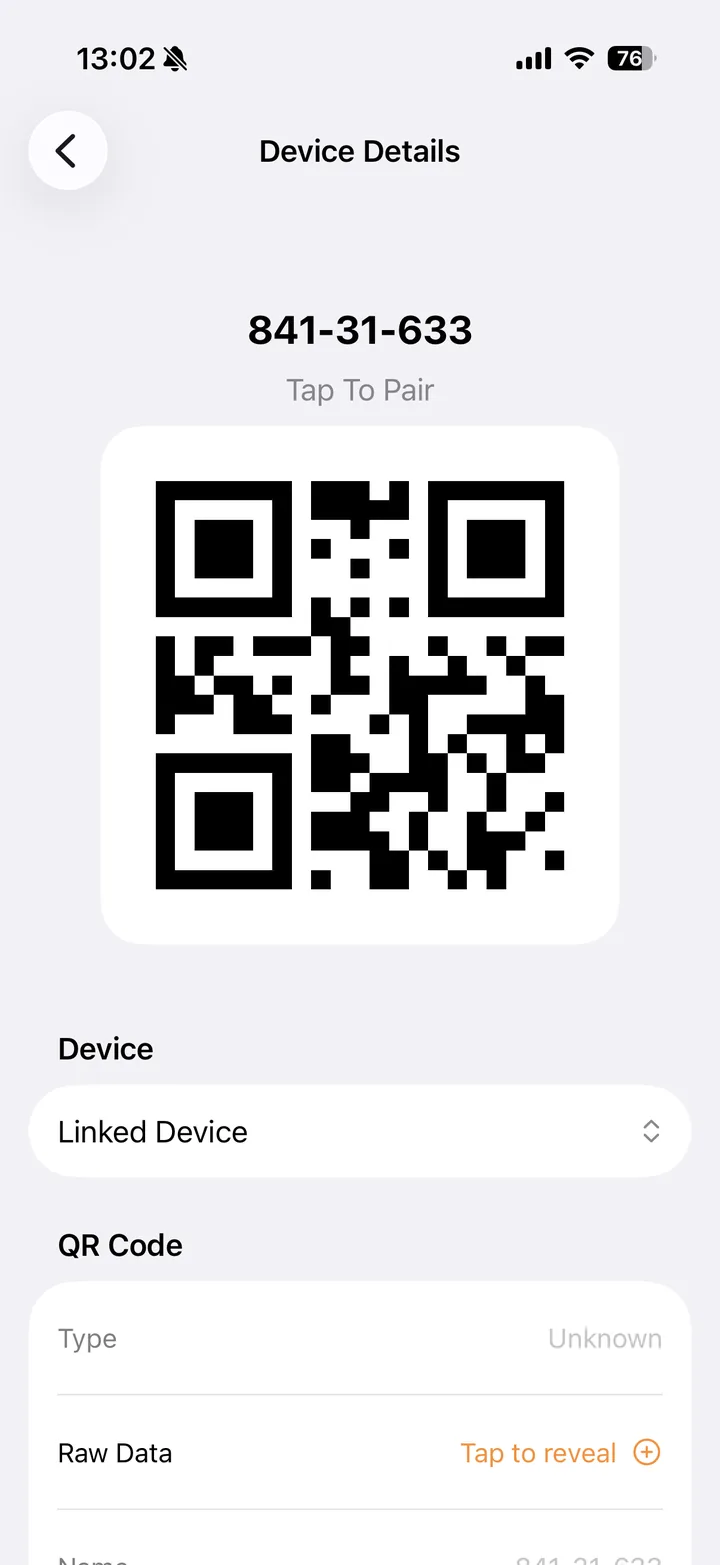
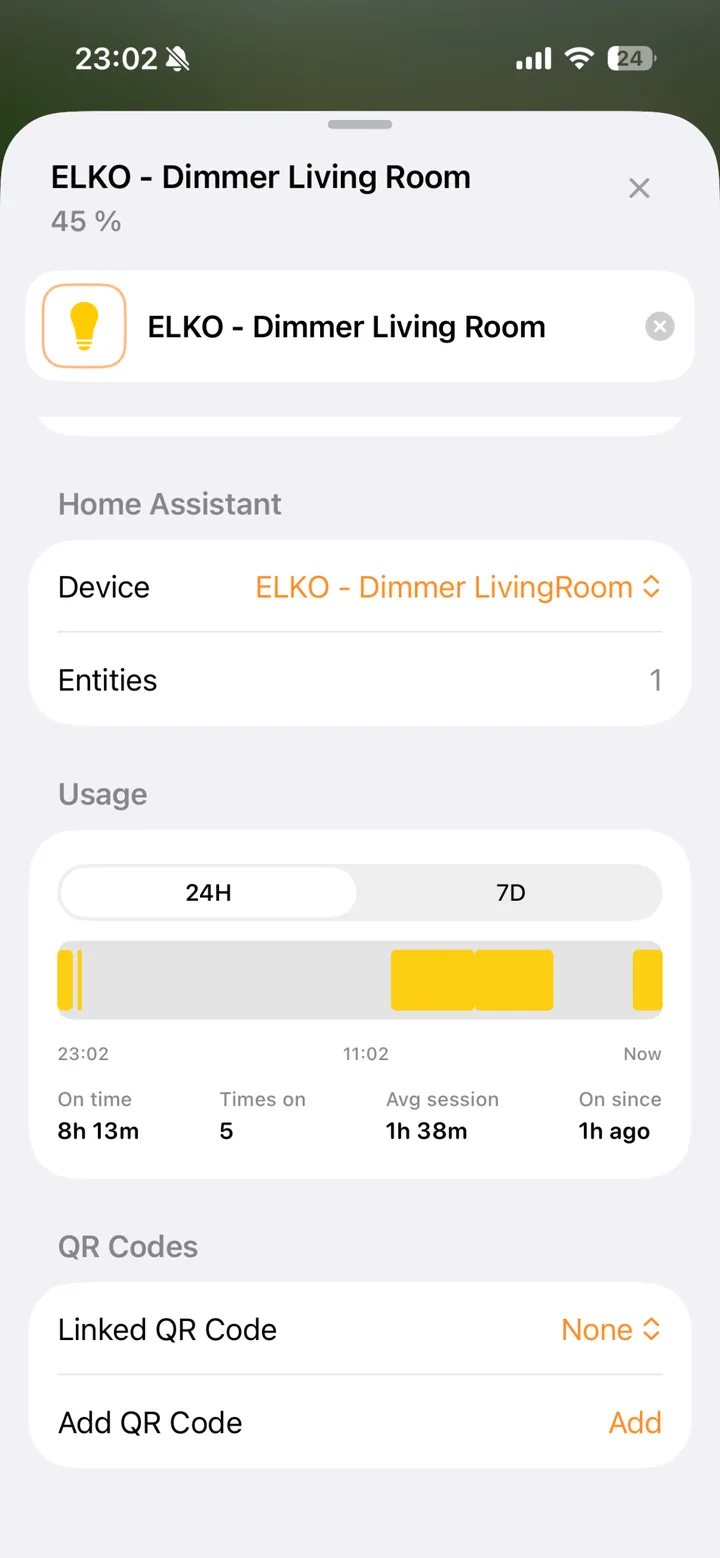
Sensor history, usage stats, and robot vacuum control require a Home Assistant connection. Roborock is the only supported robot vacuum for now.
Get the highlights.
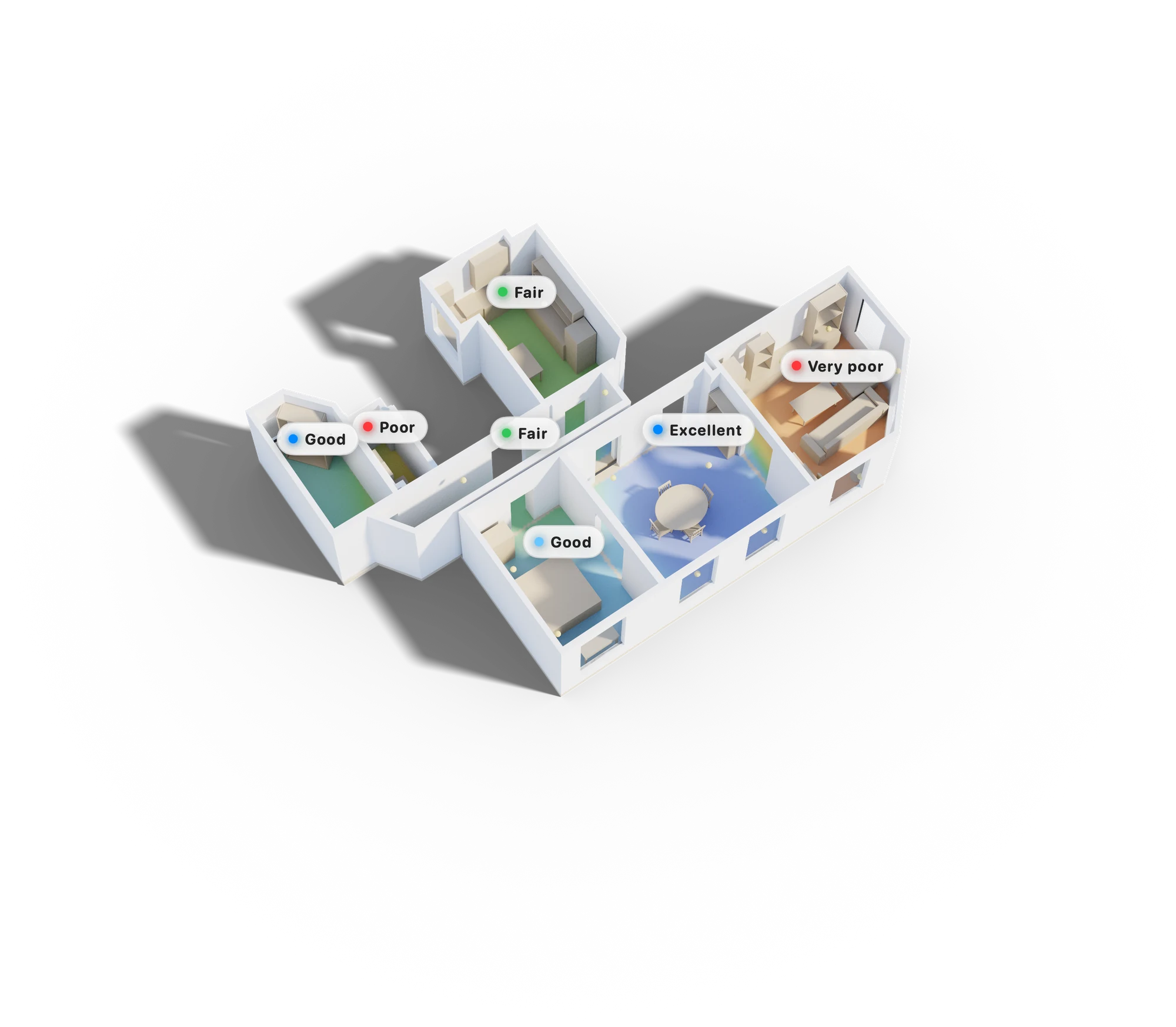
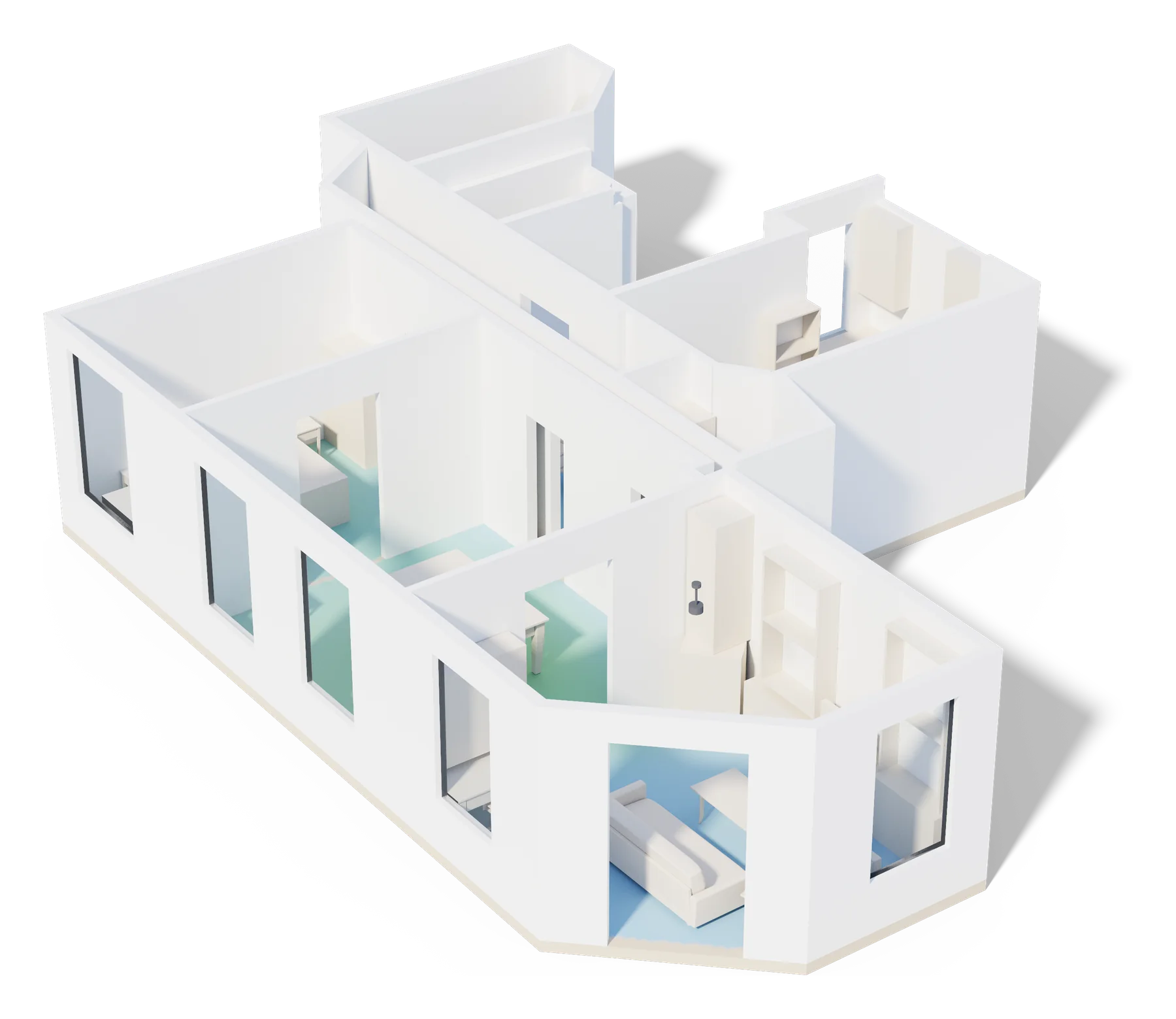
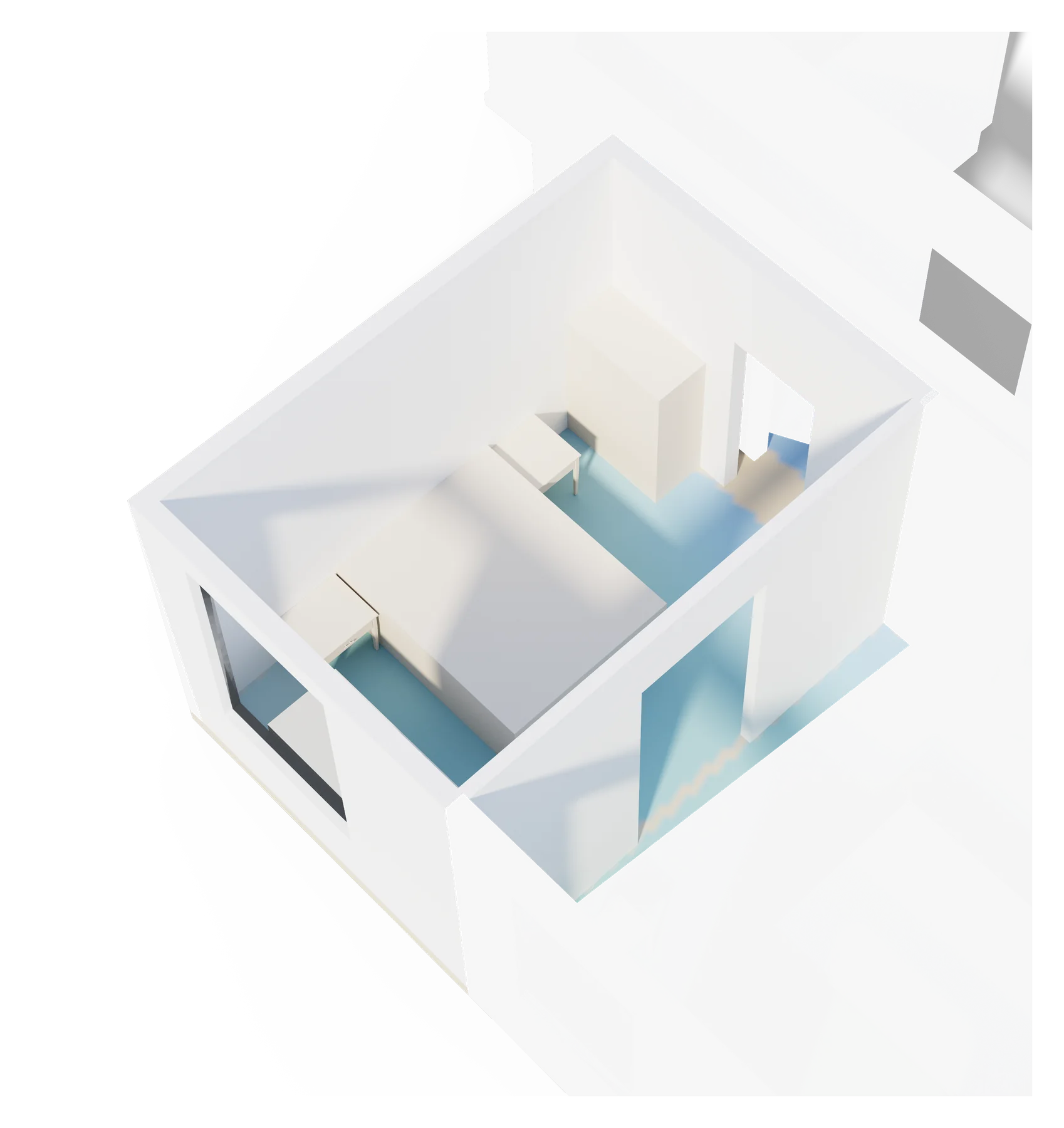
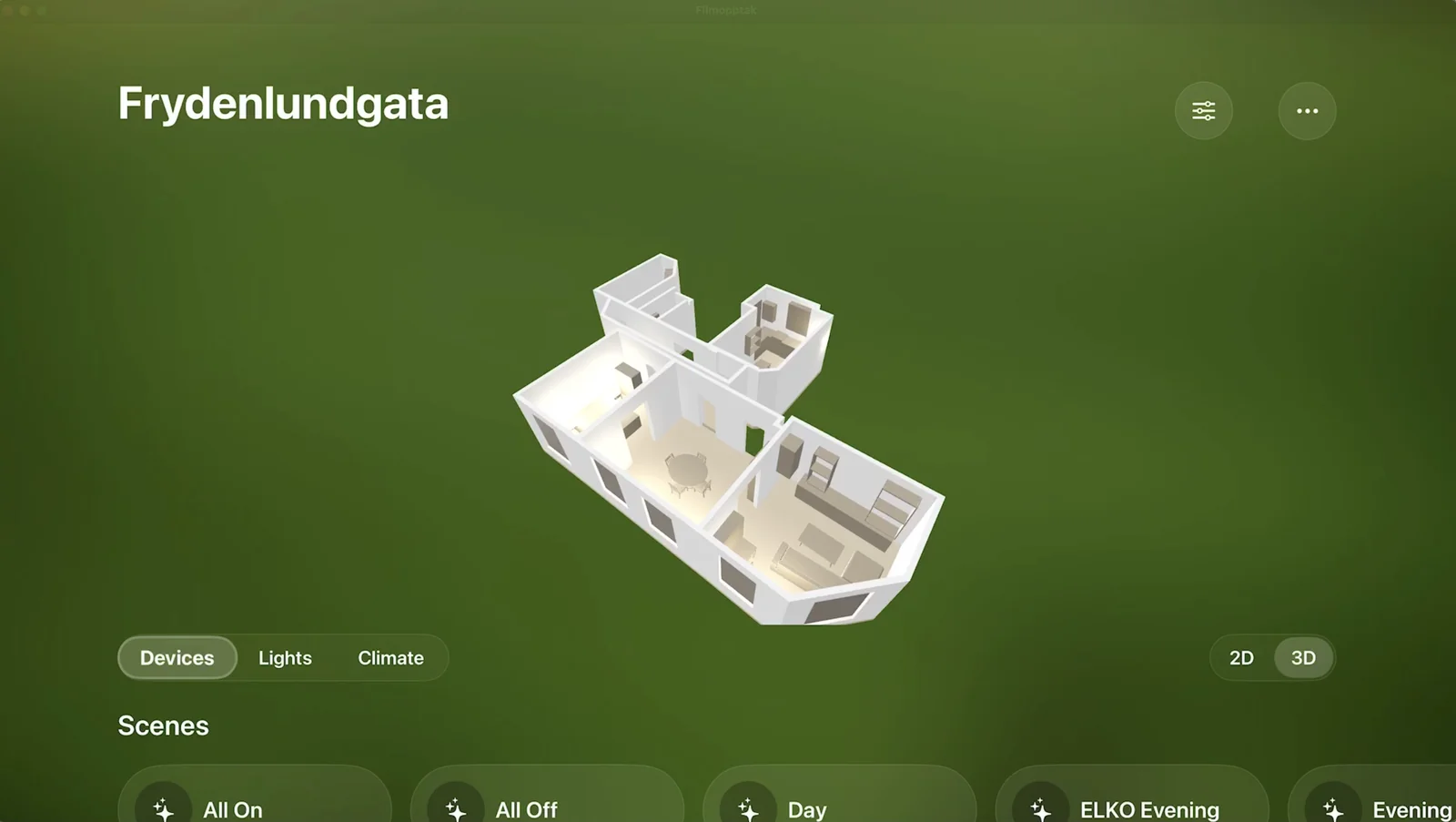
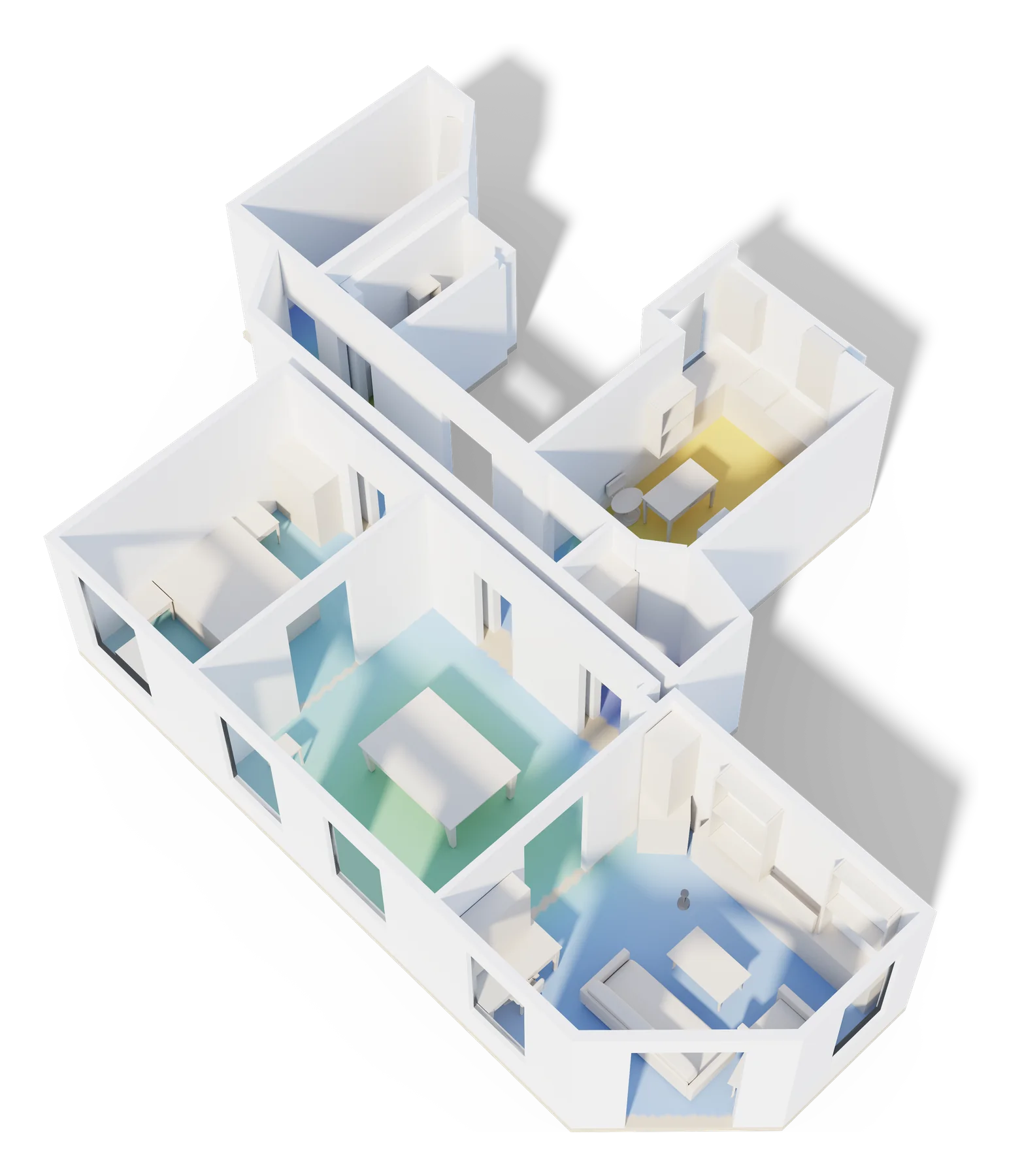
A floorplan with real light.
Scan your home once with RoomPlan and Habitat rebuilds it as an architectural model — path-traced on device, with soft shadows and light that responds to your actual lamps.
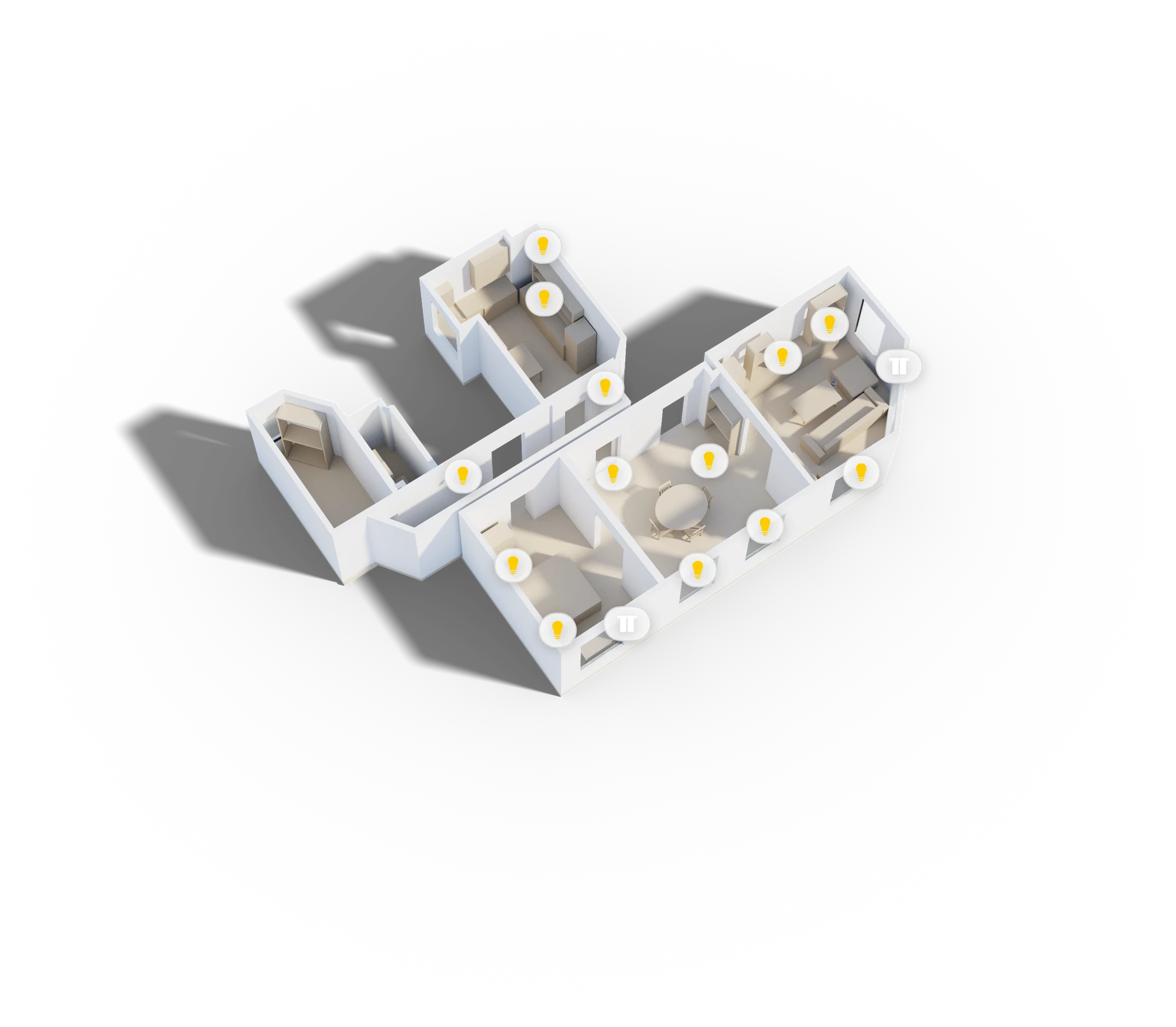
Tap the model to control
Lights, plugs, scenes — touch a device right in the 3D model to switch it, and watch the render light up the same second.
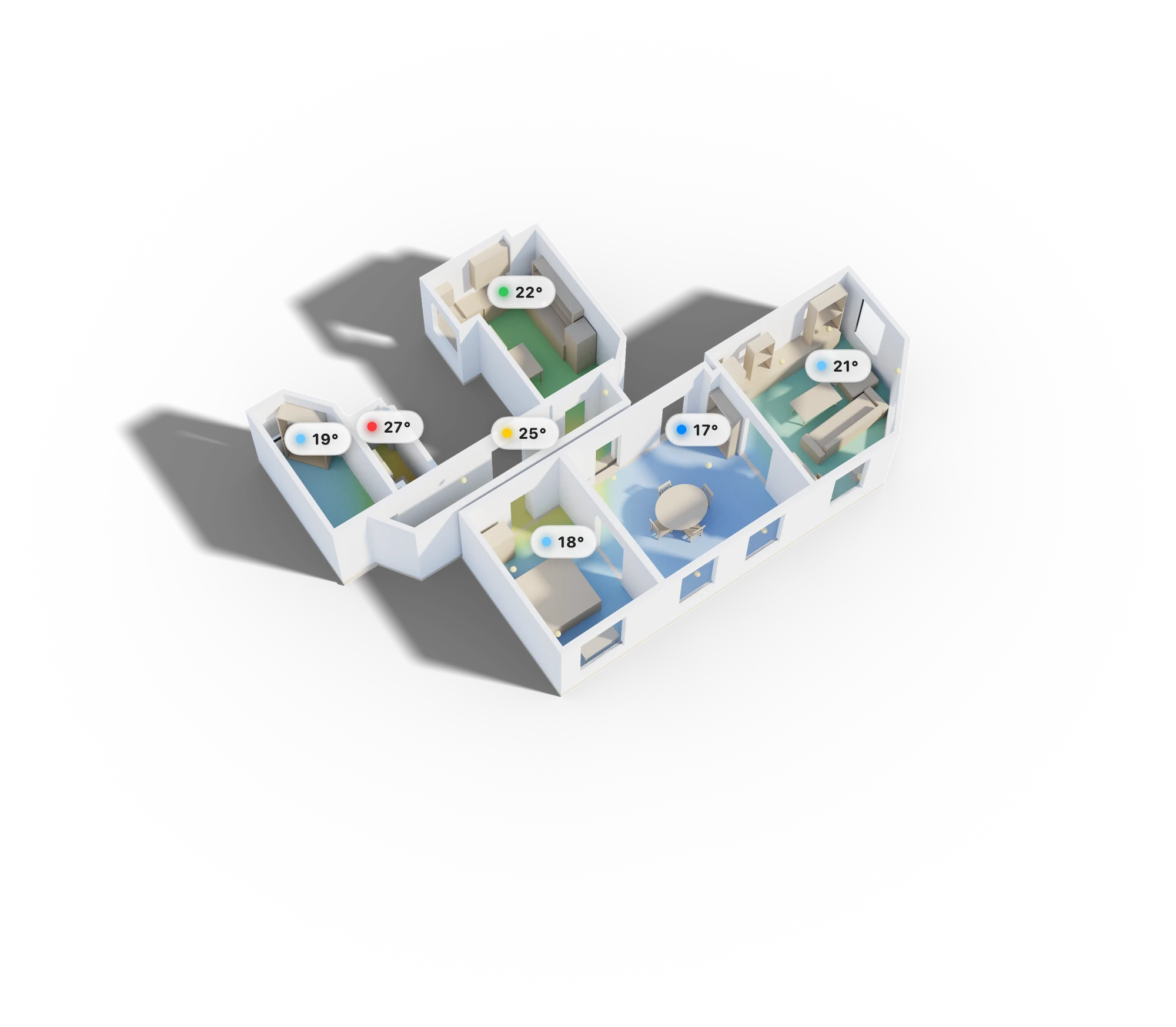
Temperature at a glance
Every room tinted by its live sensor reading. Spot the cold bedroom or the overheating office before you feel it.
Tap a room, everything else fades
Room-level focus dims the rest of the model so you see exactly what you selected — and only its devices.
Lights you can see
Lamps render with their real color and brightness. When a light is on in the model, it's on in your home.
Make it yours
Pick a background scene for the model to sit in — or flip on the glass look and render your whole home translucent.
Devices that know their place.
Point your iPhone at a lamp, a speaker, a sensor — and pin it exactly where it lives. Habitat anchors every accessory in real space, so the model always matches your home.
Scan once
Walk each room with the camera. RoomPlan builds the model while you walk.
Point & tap
Aim the reticle at a device and tap. It's pinned to that exact spot in 3D.
Locked in
Anchors persist per home and relocalize automatically every time you return.
Place through the camera
No dragging icons on an abstract map. Look at the device, tap, done — centimeter-level placement in augmented reality.
Anchored for good
Placements persist per home and relocalize automatically the next time you open the camera. Move a lamp? Re-pin it in seconds.
Rooms match themselves
Accessories snap to the scanned room they actually sit in, so the floorplan, HomeKit rooms, and reality all agree.
 3 of 12 placed
Your Home Assistant, made spatial.
Hundreds of entities, a hand-built dashboard you stopped maintaining — Habitat connects to Home Assistant over your local network and lays your whole setup out in the model, Areas and Floors included.
Better together with HomeKit
You don’t have to choose. Run HomeKit and Home Assistant side by side, and the devices you already control gain statistics — history, trends, and energy over time.
History for every sensor
Tap any temperature, humidity, or power sensor for a 24-hour graph — right where the sensor sits in your home.
Energy, mapped to rooms
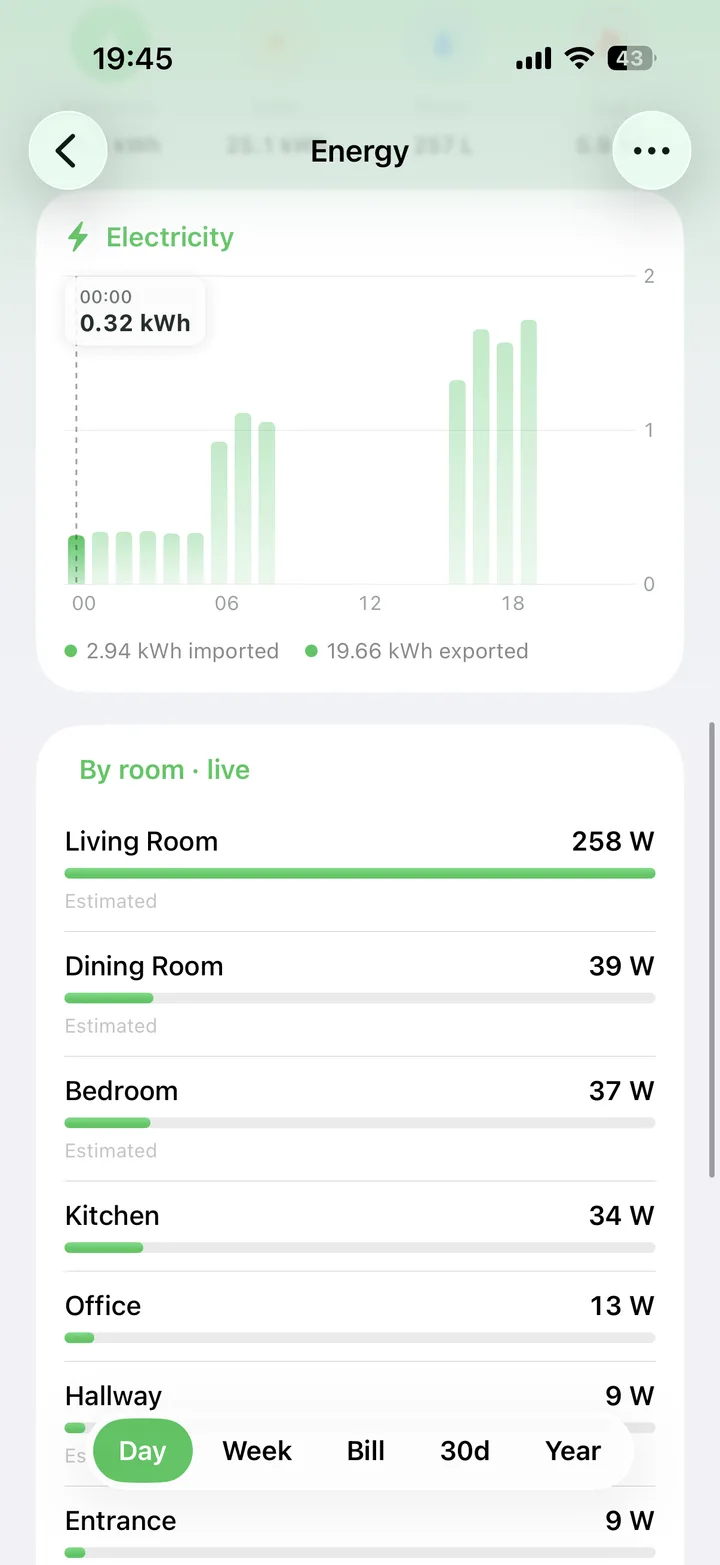
See which room is drawing power right now, and how today compares to yesterday — as a heatmap, not a spreadsheet.
Local-first, like your setup
Direct connection to your instance on your network. No cloud relay, no account — your data path stays yours.
Your Roborock, live in 3D
A little robot glides through the model exactly where the real one is — position, state, and battery streamed straight from Home Assistant. Roborock vacuums are the first supported, with more to come.
Progress you can actually see
The cleaned path paints onto the floorplan room by room, so “64%” finally means something.
Home Assistant support is rolling out in beta.
Status first. Control instantly.
Purpose-built controls for every device category — thermostat dials, color sliders, full-screen now playing — with the state of your whole home readable in half a second.
One home. Every screen.
Scan on your iPhone and the model follows you everywhere — the full app on your Mac, an ambient dashboard on the biggest screen in the house, and the whole household invited.
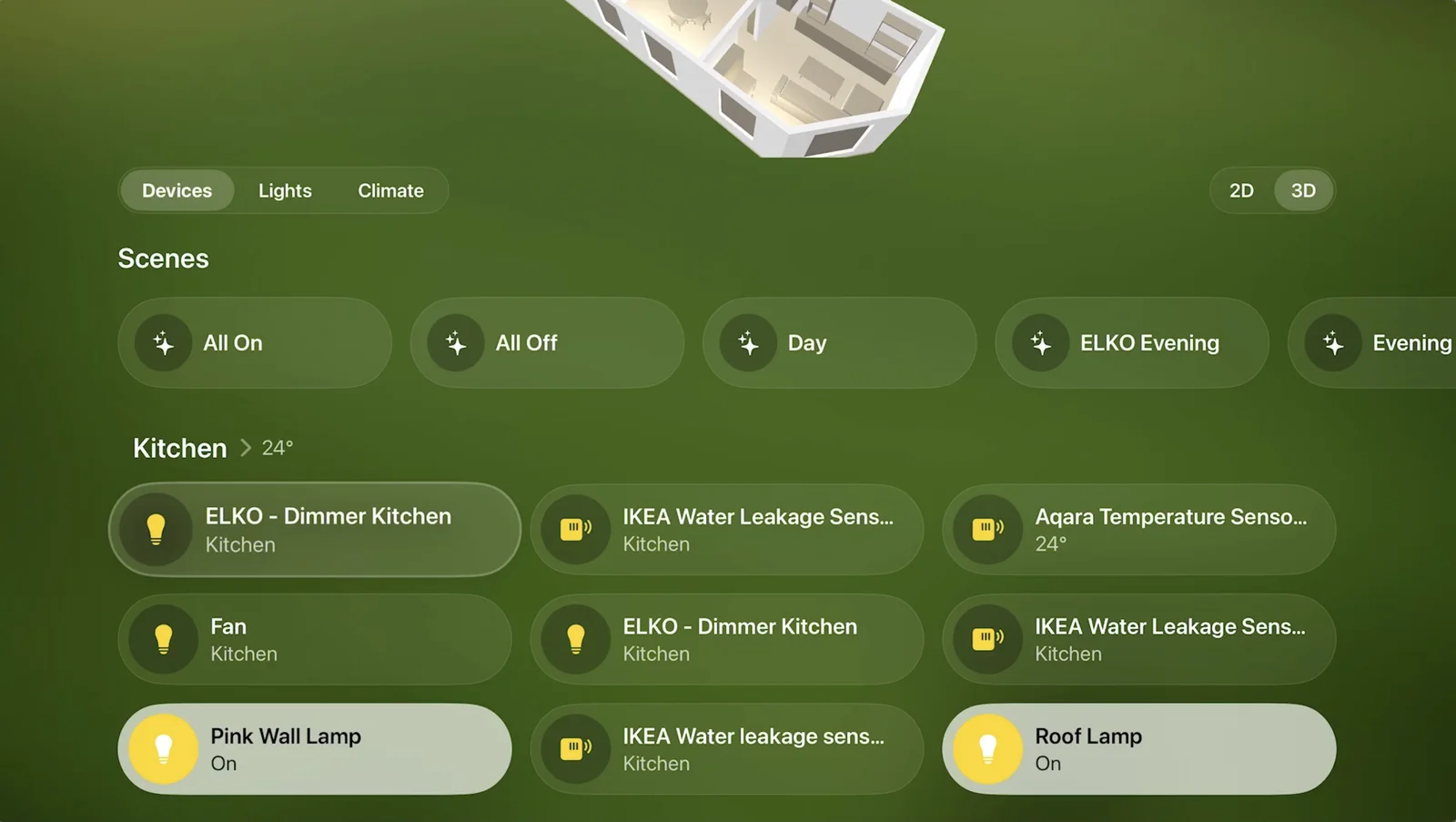
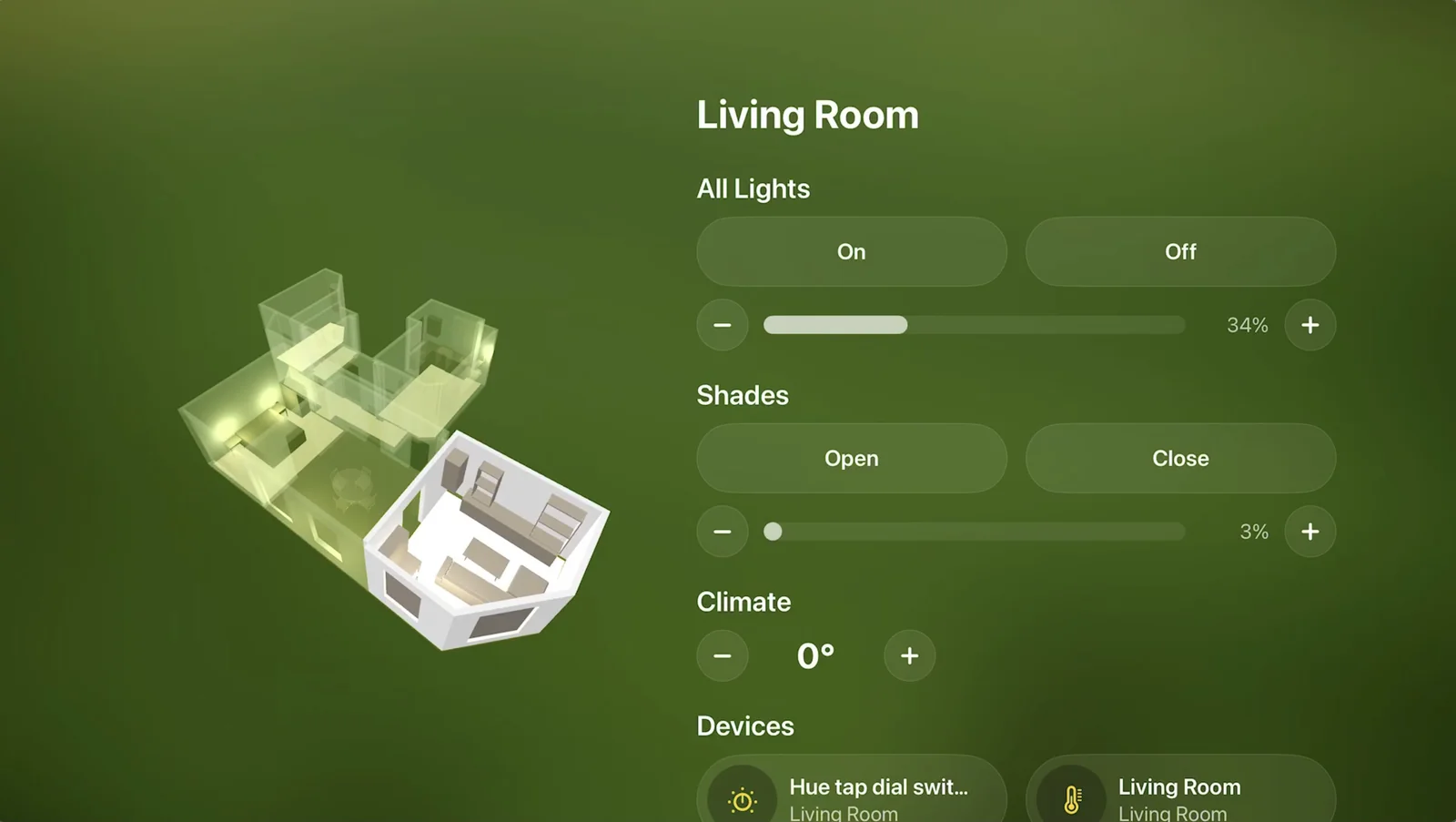
Habitat for Mac
The complete experience in a window — the ray-traced model, every control, and Home Assistant history, right next to your work.
Habitat for Apple TV
An ambient dashboard for the living room. Your home rendered as the hero, with glanceable status for every room — readable from the couch.
Scan once, everywhere
Scans, device placements, and settings sync privately through your own iCloud. Set up a new screen and your home is already there.
Share this Home
Invite the rest of the household and they get the full setup — the 3D model, every device placement, background, and settings. Nobody scans twice.
The basic stuff, done right.
Not everything needs to be cinematic. Habitat nails the things you reach for every day — pairing codes, battery health, and heatmaps of how your home actually behaves.
Pairing codes, saved
Every HomeKit and Matter setup code, stored with its accessory. Re-pair or move a device without hunting for the sticker.


Batteries, watched
Every battery in the house in one list — and a warning before something dies quietly in a drawer.
Heatmaps for everything
Temperature, humidity, and energy painted over your floorplan — patterns you'd never spot in a table of numbers.
An icon for everything
Over 120 hand-drawn icons — every lamp shape, plug, sensor, and sofa — so the model reads like your home, not a spec sheet.
Your home stays yours.
HomeKit-native
Habitat talks directly to your accessories through Apple's HomeKit framework. No bridge server, no cloud relay, no third-party account.
Scans stay on your devices
Room scans and device positions live on your iPhone and sync only through your personal iCloud — end-to-end, invisible to us.
No tracking
No analytics SDKs, no ads, no data brokers. The only person who knows what's happening in your home is you.
Outdoors, energy, and everything opens.
The first big update since launch. Meter the whole home, draw what's outside the walls, and watch doors and curtains move in the model as they move in real life.
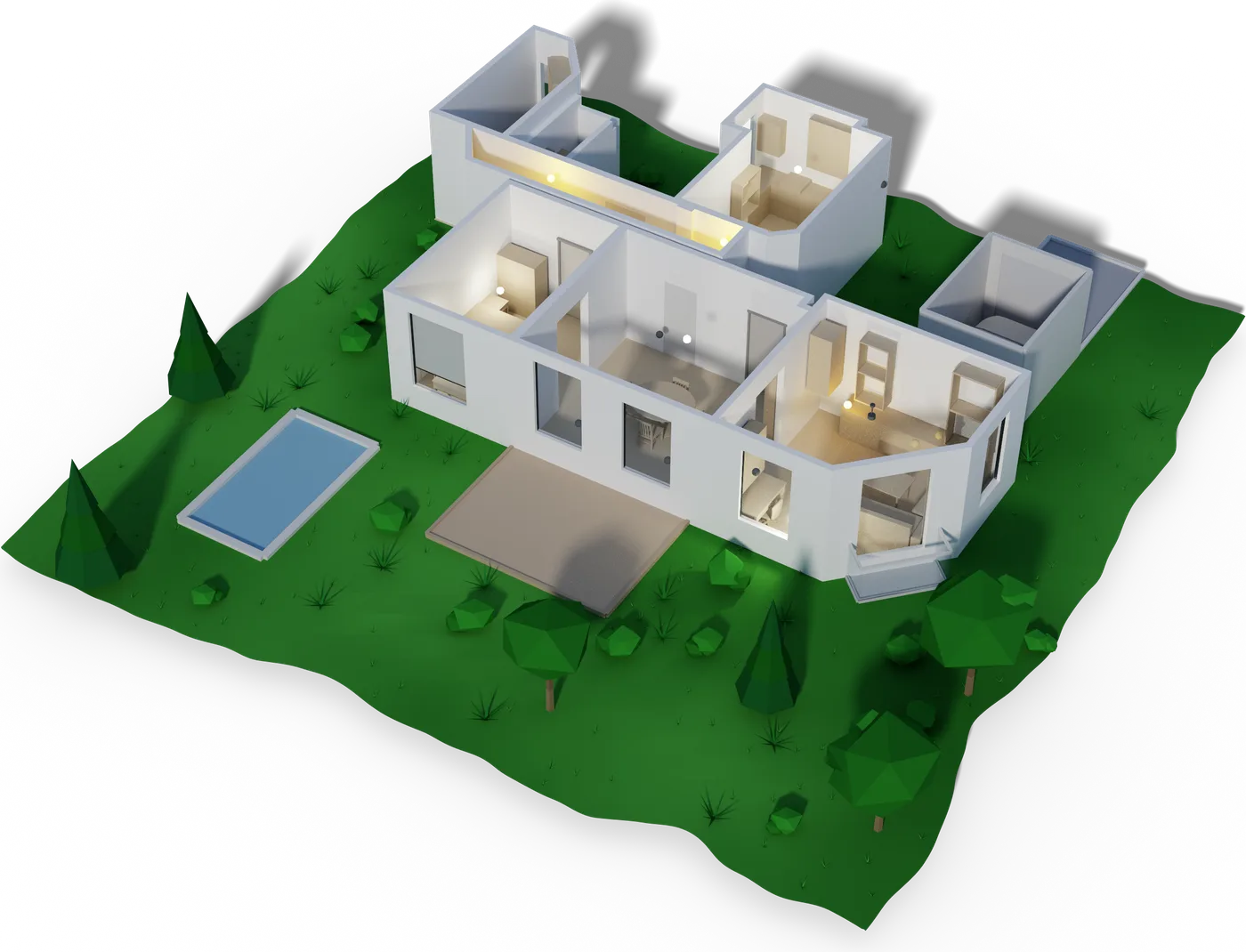
Outdoor areas
Draw your garden, driveway or patio and see them grow in around your home in 3D.
Energy
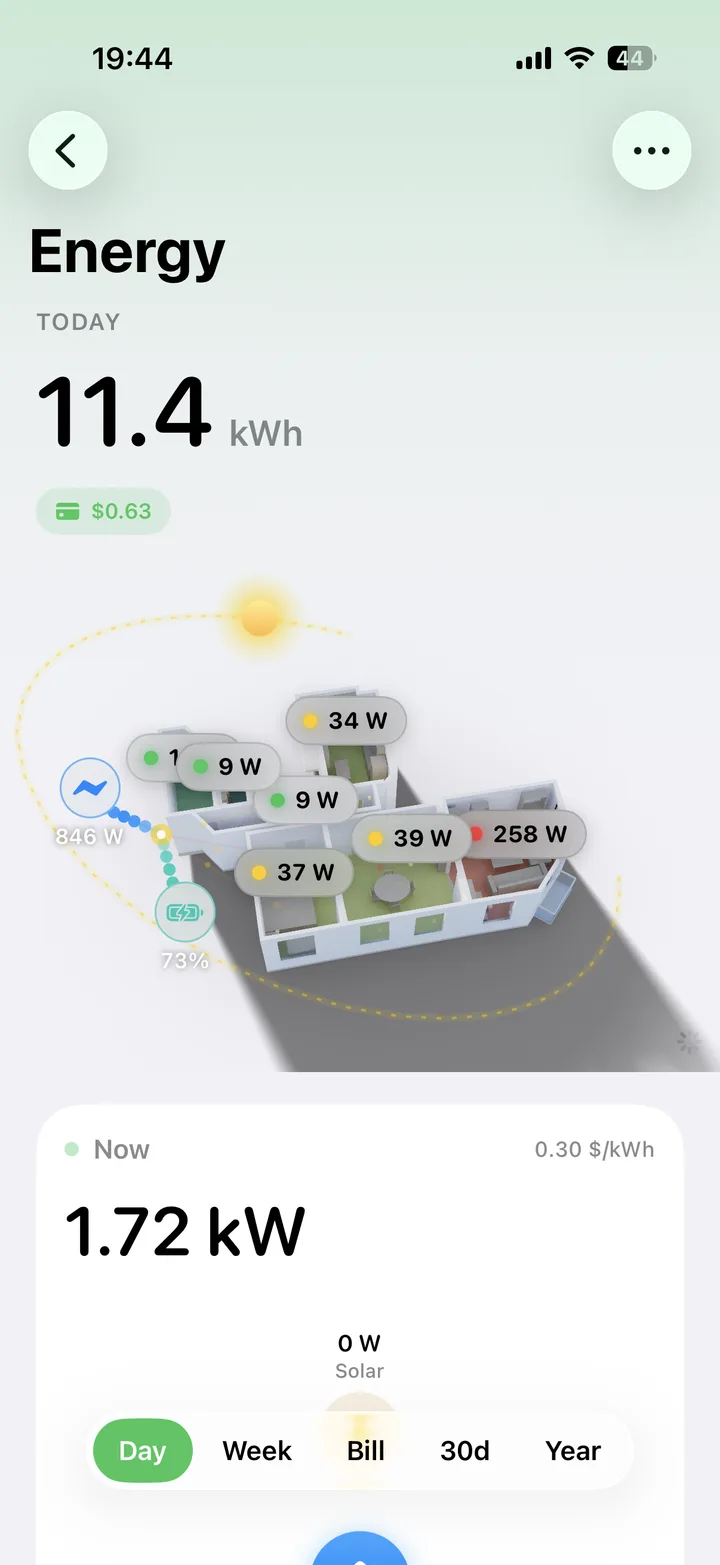
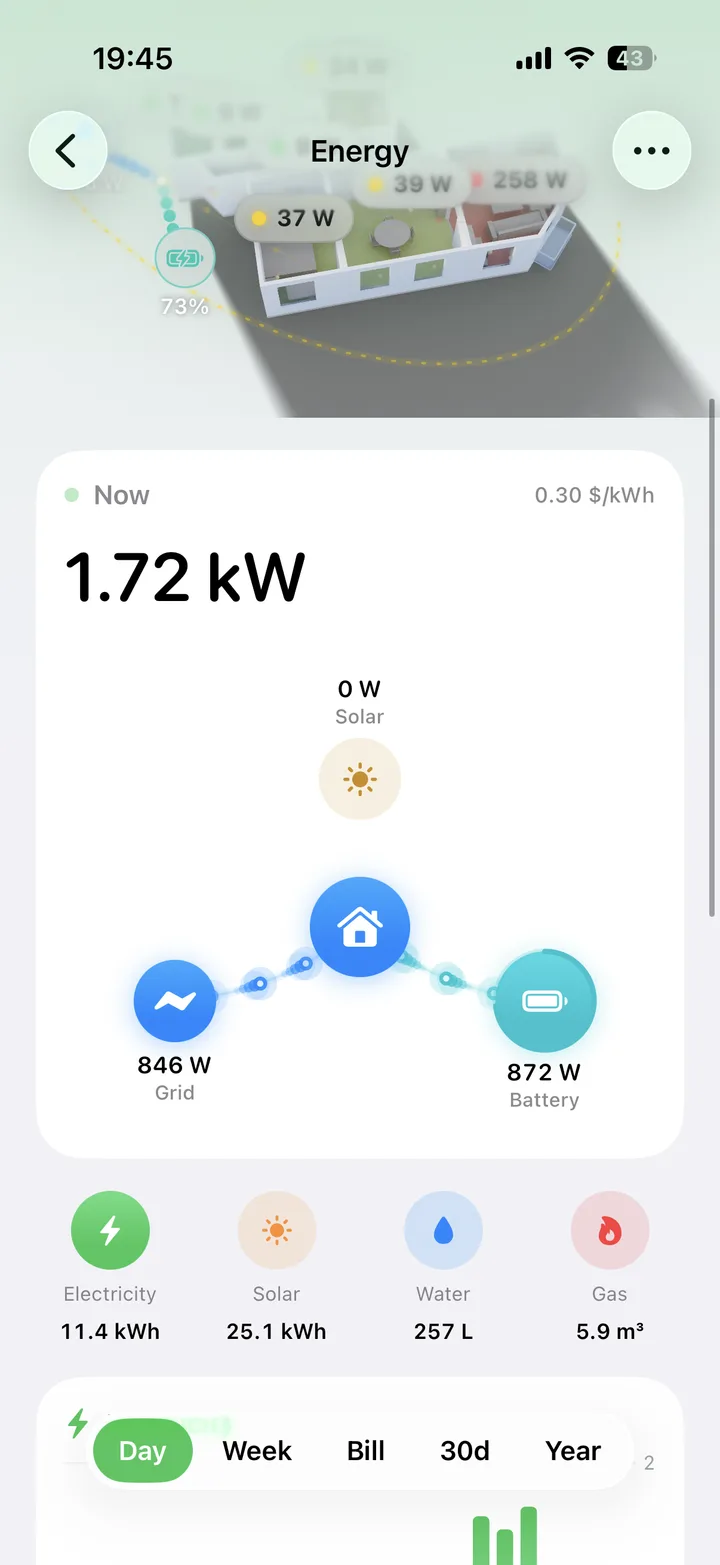
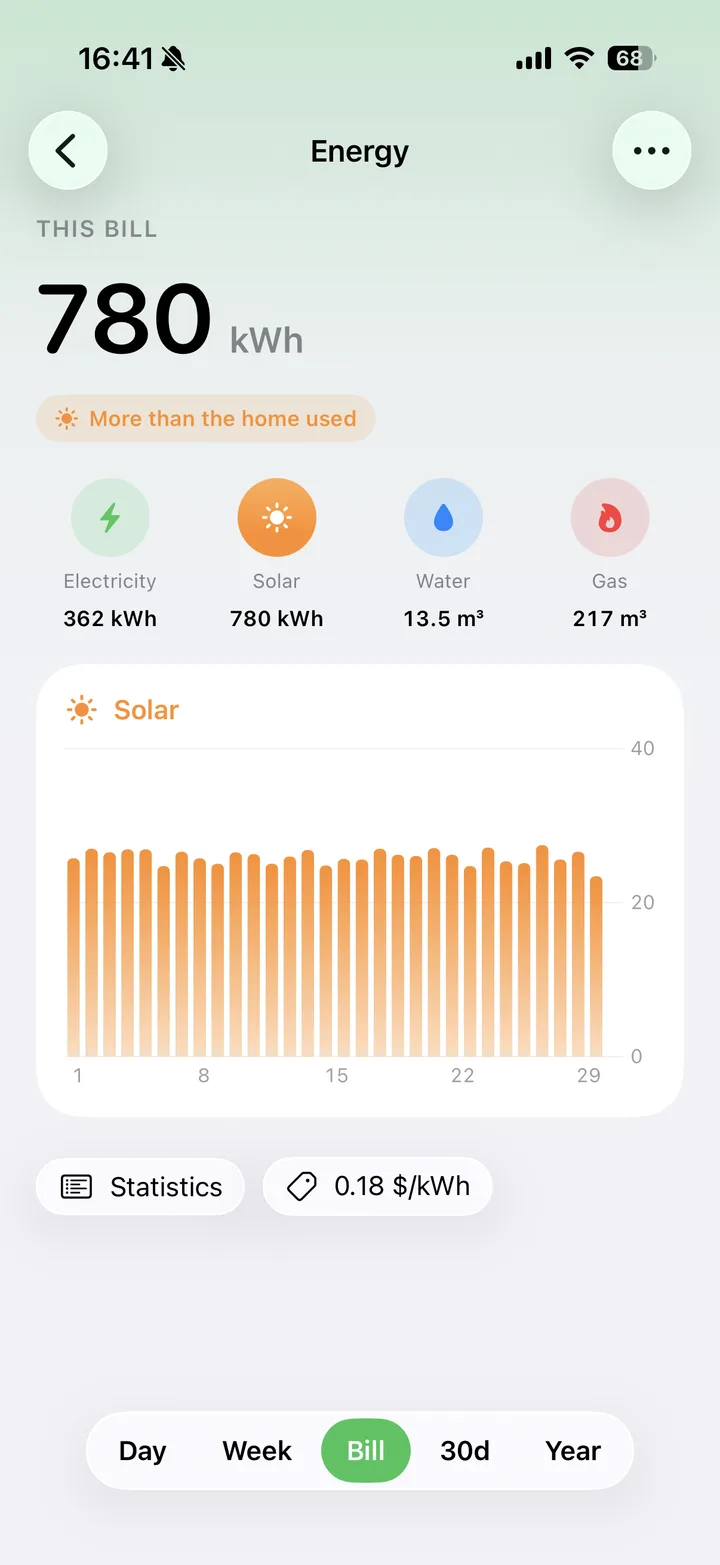
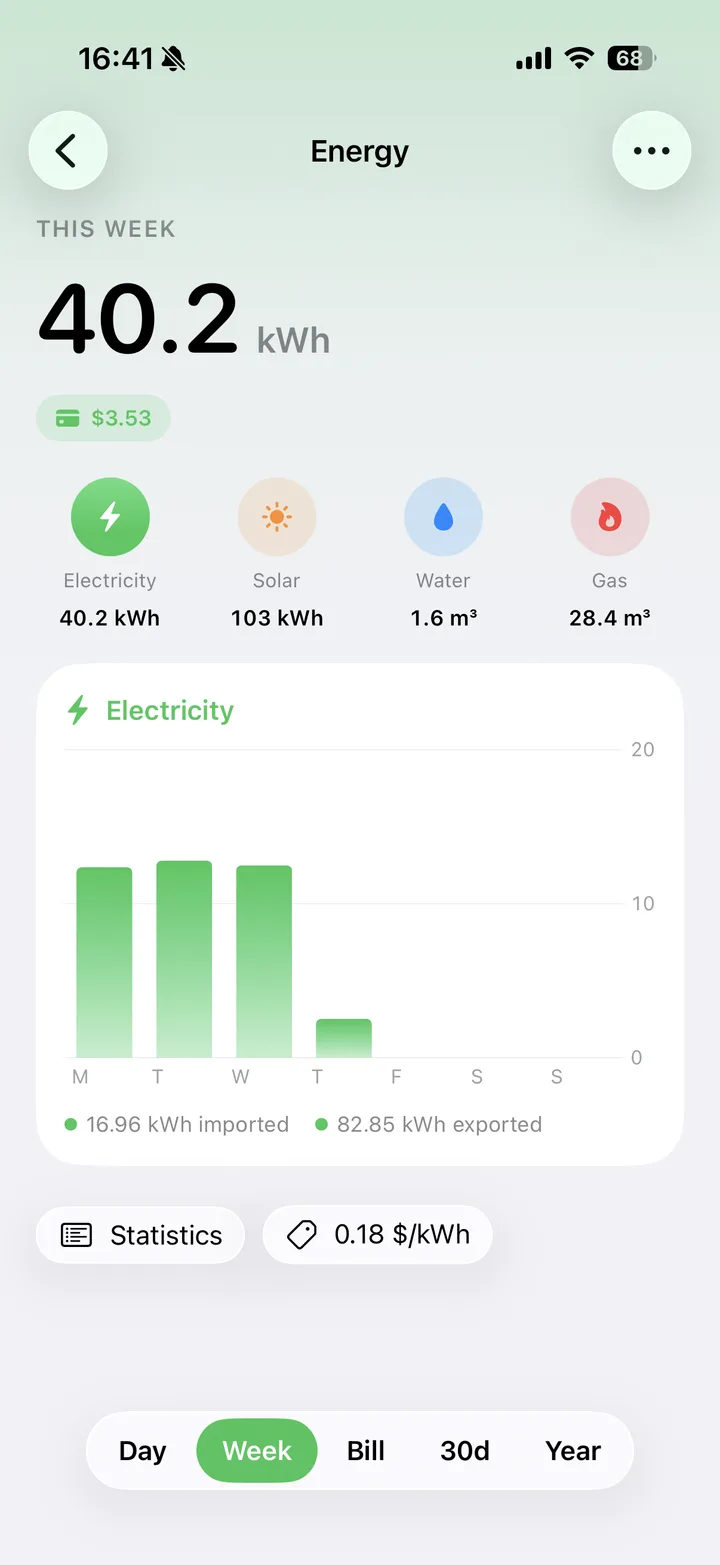
Track electricity, water, gas and solar, and see which rooms are actually spending it.
Leak alerts
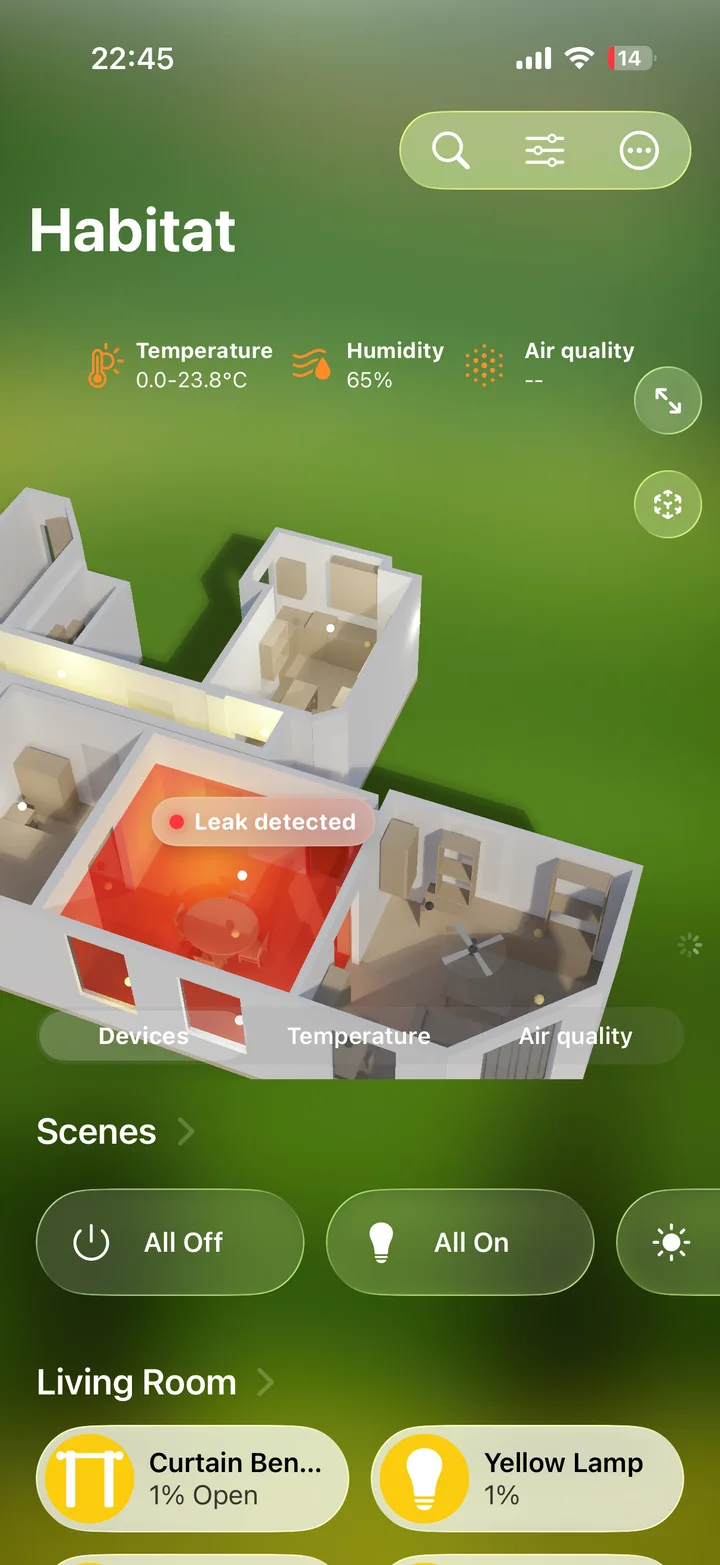
When a leak sensor trips, its room turns red in the model so you see exactly where the water is.
Manage your scan
Extend a floor, re-scan a single room or remove one, without scanning the whole home again.
Everything opens
Doors, garage doors, curtains and roller shades move in the 3D model as they do in real life.
Draw your floorplan
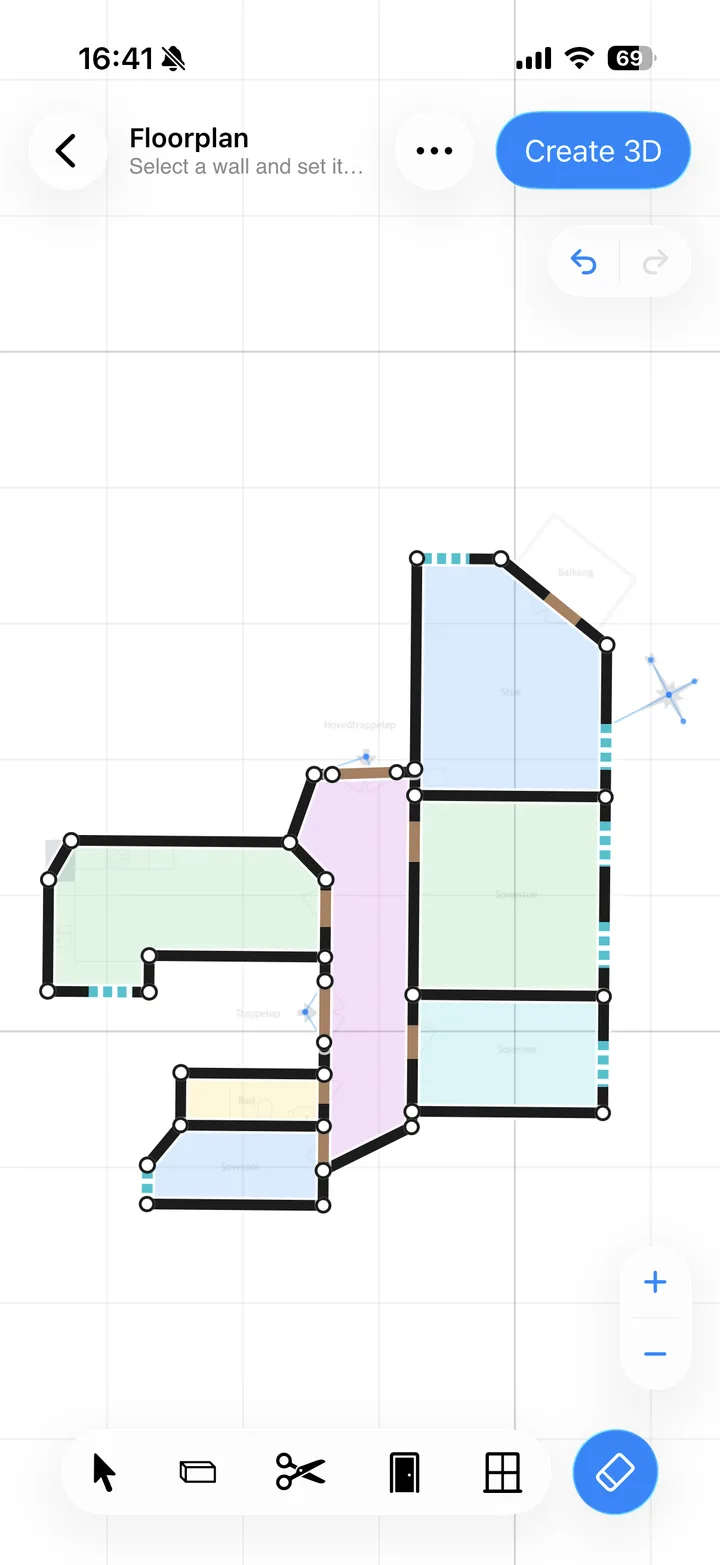
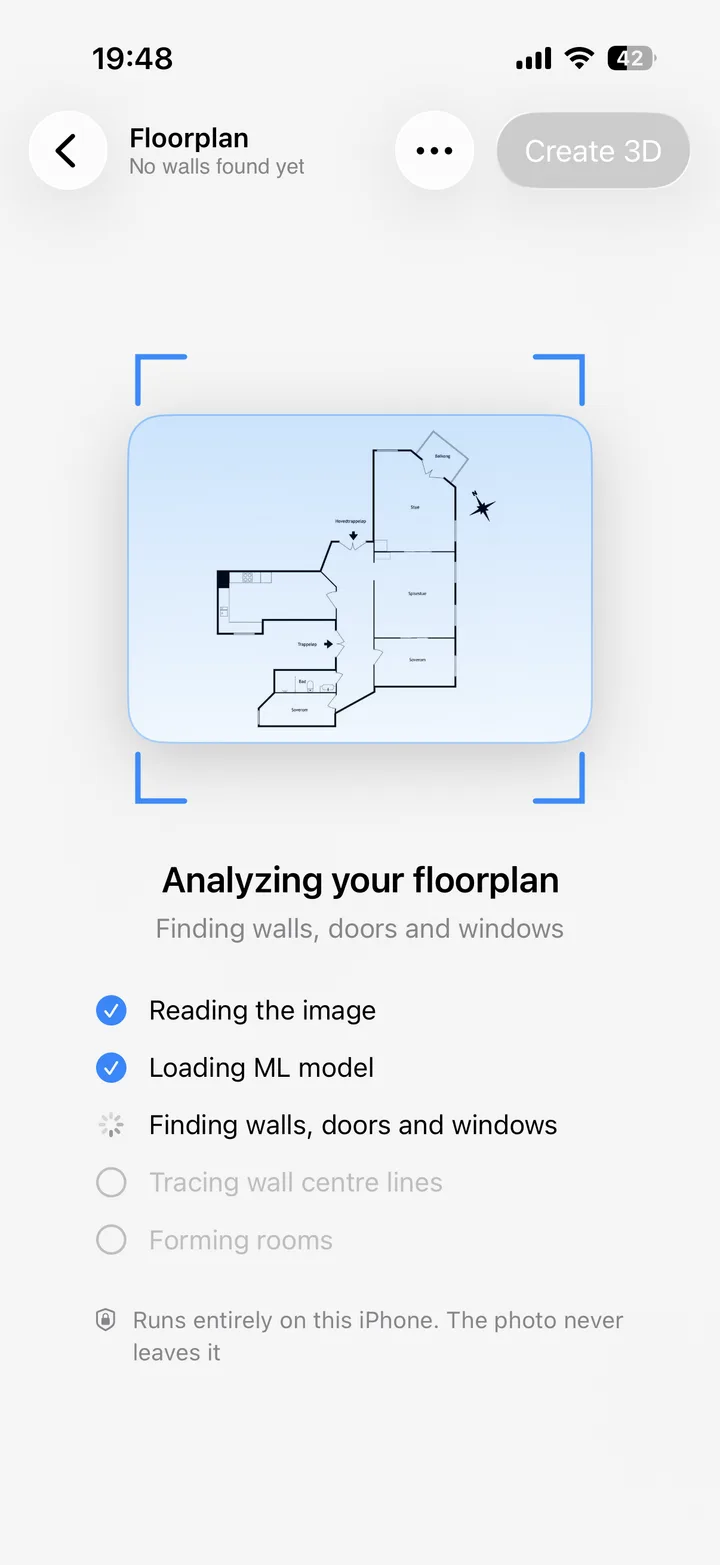
No LiDAR? Draw or import a floorplan and Habitat builds the full 3D model from it.
Real sunlight
The model is lit by the sun exactly where it sits over your home. Watch its path across the day.
Preview scenes in 3D
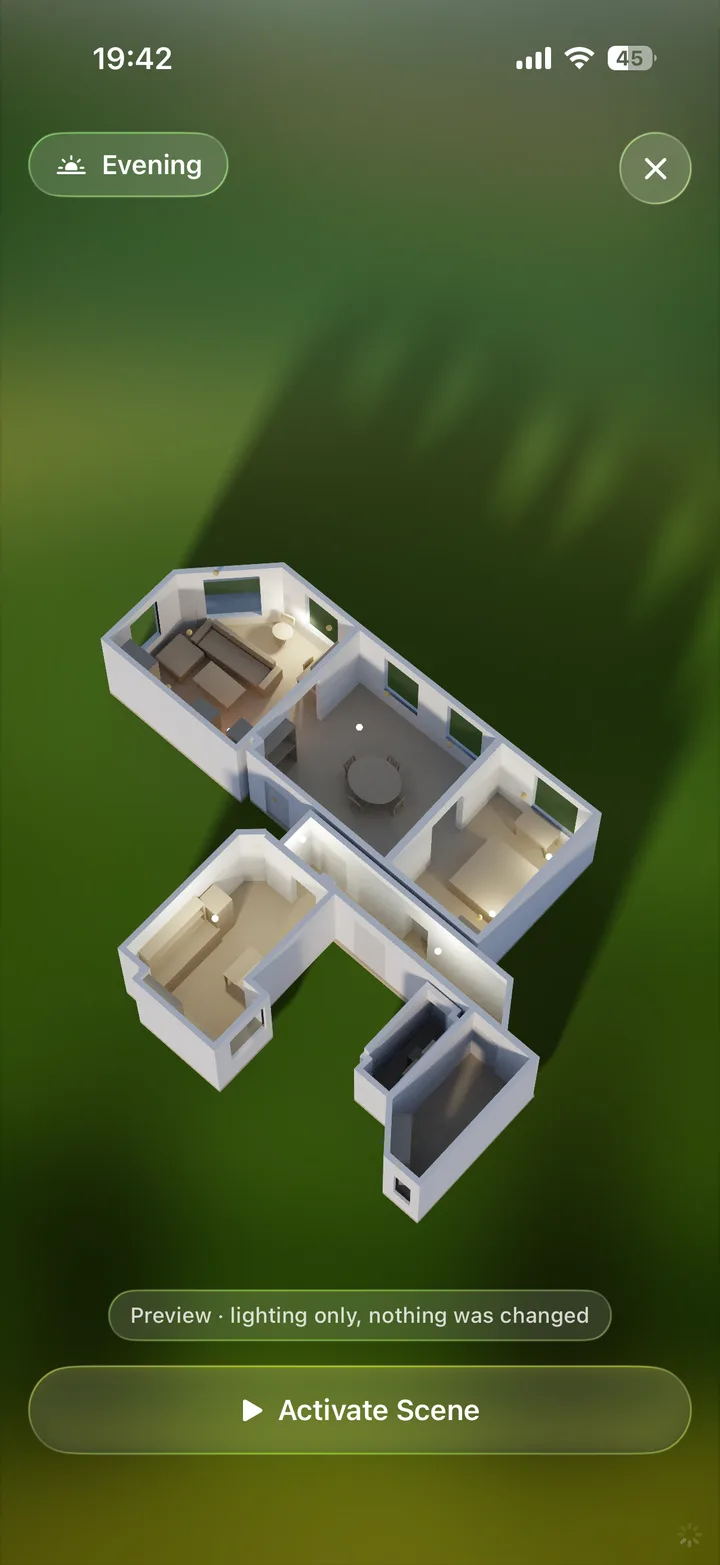
Long press a scene to see the whole home relight before you run it.